What it does
- SI agentClicks, types and fills forms for you in hidden tabs, and stops for your OK before anything that pays.10/day
- Web automationsWatch any page for a change in price or status, and act on it automatically.15 min
- Separate workspacesGive every account its own workspace and cookies, and stay signed in to several at once.3 free
- Private SI chatUnlimited chat with your own keys or a model on your computer, plus deep research that cites only what it read.0
- Privacy and TorAn ad blocker, cookie pop-up rejection, built-in Tor, and SI that can stay on your computer.Free
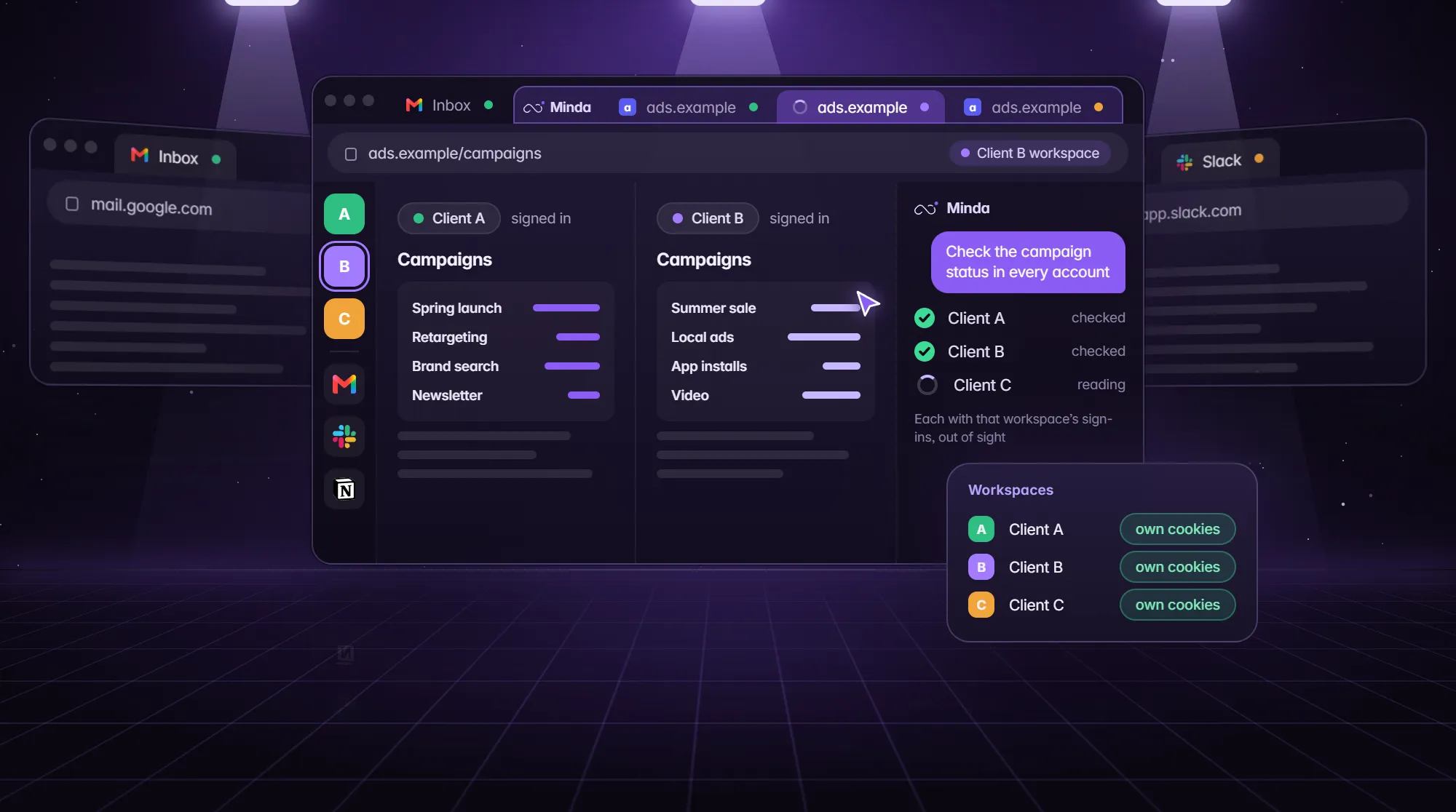 Featured use case · Agencies3Every client account kept apart, all signed in
Minda Super Intelligence
- Reading the page
- Filling the form
- Asking before paying
- Agent at work
- Ask
- Agent
- Open
Home
How it works
Set up once. Let it run.
Install Minda, give each account its own workspace, tell the agent what you need, and schedule the work that repeats.
- 1 click
- import
- 3 free
- workspaces
- 10/day
- agent actions
- 15 min
- shortest schedule
How it works
Set up once. Let it run.
Install Minda, give each account its own workspace, tell the agent what you need, and schedule the work that repeats.
- 1 click
- import
- 3 free
- workspaces
- 10/day
- agent actions
- 15 min
- shortest schedule
How it works
From download to autopilot in four steps.
01
Step 1
Install
Install Minda on Windows, macOS or Linux, and add the Minda SI for Chrome extension to the Chrome you already use. Then bring over bookmarks, passwords, sign-ins and open tabs from Chrome, Edge or Firefox in one click.
WindowsmacOSLinux
02
Step 2
Separate
Make a workspace for each client, shop or role. Each has its own cookies and sign-ins, so several accounts of one site stay signed in at once.
Own cookiessplit viewvertical tabs
03
Step 3
Ask
Tell it what you want and how far it may go. The agent plans, clicks, types and fills forms in hidden tabs, and stops for your OK before anything that pays.
Live planaction logtake over
04
Step 4 →
Automate
Turn a task into a schedule or an automation. Cloud automations keep running while your computer is off and report back by notice or email.
Every 15 minif / otherwisecloud
How it works
From download to autopilot in four steps.
01
Step 1
Install
Install Minda on Windows, macOS or Linux, and add the Minda SI for Chrome extension to the Chrome you already use. Then bring over bookmarks, passwords, sign-ins and open tabs from Chrome, Edge or Firefox in one click.
WindowsmacOSLinux
02
Step 2
Separate
Make a workspace for each client, shop or role. Each has its own cookies and sign-ins, so several accounts of one site stay signed in at once.
Own cookiessplit viewvertical tabs
03
Step 3
Ask
Tell it what you want and how far it may go. The agent plans, clicks, types and fills forms in hidden tabs, and stops for your OK before anything that pays.
Live planaction logtake over
04
Step 4 →
Automate
Turn a task into a schedule or an automation. Cloud automations keep running while your computer is off and report back by notice or email.
Every 15 minif / otherwisecloud
Before and after
Same week. Less clicking.
Before Minda Super Intelligence
With Minda Super Intelligence
Before and after
Same week. Less clicking.
Before Minda Super Intelligence
With Minda Super Intelligence
- What is Minda Super Intelligence?
- Minda Super Intelligence (Minda SI for short) is a personal AI agent app for your computer. Its idea is Human with AI: the agent clicks, types and fills forms in hidden tabs, you keep the decisions, and it asks before it pays. It works in its own Chromium browser on Windows, macOS and Linux, with workspaces that keep every account apart, an ad blocker, Tor and encrypted sync.
- Is Minda free?
- Yes. Free includes the whole app, unlimited SI chat with your own API keys or Ollama, 100 credits a month for Minda's hosted models, 30 short replies a day that use no credits, and 10 agent actions a day (a click, typing or filling a form) when signed in. Pro adds unlimited workspaces, schedules and automations, and unlimited agent actions.
- Can Minda's SI click and fill forms for me?
- Yes. The agent clicks, types, presses keys and fills forms on its own, and stops for your OK before anything that pays. Pro has no daily limit; Free, signed in, allows 10 actions a day, and always chat, read pages, search and do deep research.
- Can I keep the SI on my computer?
- Yes. Keep SI on this computer refuses every cloud provider and Minda Super Intelligence before anything is sent, so only a local Ollama model answers. You can also turn built-in SI off or use temporary chats.
- Is Minda an agentic browser?
- It is an AI agent app with its own browser, so its agent acts on pages: it clicks, types and fills forms in hidden tabs and in any workspace you name. It stops for your OK before anything that pays. Page text reaches the model fenced as data, not instructions.
- Can I use my own AI keys or a local model?
- Yes, on every plan. Use Ollama on your computer or your own OpenAI, Claude, Gemini, DeepSeek, OpenRouter or Qwen keys. It is unlimited and uses no credits.
- How much does Minda Pro cost?
- Pro costs $25 a month or $240 a year ($20 a month), with a 7-day free trial that needs no card. It adds unlimited workspaces, schedules and automations, the agent with no daily limit, premium models and 2,000 credits a month to Free.
- What are workspaces?
- Workspaces keep separate cookies and sign-ins, so you can be signed in to several accounts of the same site at once. Free includes 3; Pro is unlimited.
Questions
Ask the agent.
The questions people ask most. Choose one to read the answer.
What is Minda Super Intelligence?
Minda Super Intelligence (Minda SI for short) is a personal AI agent app for your computer. Its idea is Human with AI: the agent clicks, types and fills forms in hidden tabs, you keep the decisions, and it asks before it pays. It works in its own Chromium browser on Windows, macOS and Linux, with workspaces that keep every account apart, an ad blocker, Tor and encrypted sync.
- What is Minda Super Intelligence?
- Minda Super Intelligence (Minda SI for short) is a personal AI agent app for your computer. Its idea is Human with AI: the agent clicks, types and fills forms in hidden tabs, you keep the decisions, and it asks before it pays. It works in its own Chromium browser on Windows, macOS and Linux, with workspaces that keep every account apart, an ad blocker, Tor and encrypted sync.
- Is Minda free?
- Yes. Free includes the whole app, unlimited SI chat with your own API keys or Ollama, 100 credits a month for Minda's hosted models, 30 short replies a day that use no credits, and 10 agent actions a day (a click, typing or filling a form) when signed in. Pro adds unlimited workspaces, schedules and automations, and unlimited agent actions.
- Can Minda's SI click and fill forms for me?
- Yes. The agent clicks, types, presses keys and fills forms on its own, and stops for your OK before anything that pays. Pro has no daily limit; Free, signed in, allows 10 actions a day, and always chat, read pages, search and do deep research.
- Can I keep the SI on my computer?
- Yes. Keep SI on this computer refuses every cloud provider and Minda Super Intelligence before anything is sent, so only a local Ollama model answers. You can also turn built-in SI off or use temporary chats.
- Is Minda an agentic browser?
- It is an AI agent app with its own browser, so its agent acts on pages: it clicks, types and fills forms in hidden tabs and in any workspace you name. It stops for your OK before anything that pays. Page text reaches the model fenced as data, not instructions.
Questions
Ask the agent.
The questions people ask most. Choose one to read the answer.
What is Minda Super Intelligence?
Minda Super Intelligence (Minda SI for short) is a personal AI agent app for your computer. Its idea is Human with AI: the agent clicks, types and fills forms in hidden tabs, you keep the decisions, and it asks before it pays. It works in its own Chromium browser on Windows, macOS and Linux, with workspaces that keep every account apart, an ad blocker, Tor and encrypted sync.
Free to start
Almost ready for Windows.
Minda Super Intelligence will be free to start. Paid plans begin at $25 a month, with 7 days free and no card needed.
No card needed. Free never expires. Cancel paid plans anytime.
Free to start
Almost ready for Windows.
Minda Super Intelligence will be free to start. Paid plans begin at $25 a month, with 7 days free and no card needed.
No card needed. Free never expires. Cancel paid plans anytime.