What does Codex get from a browser over MCP?
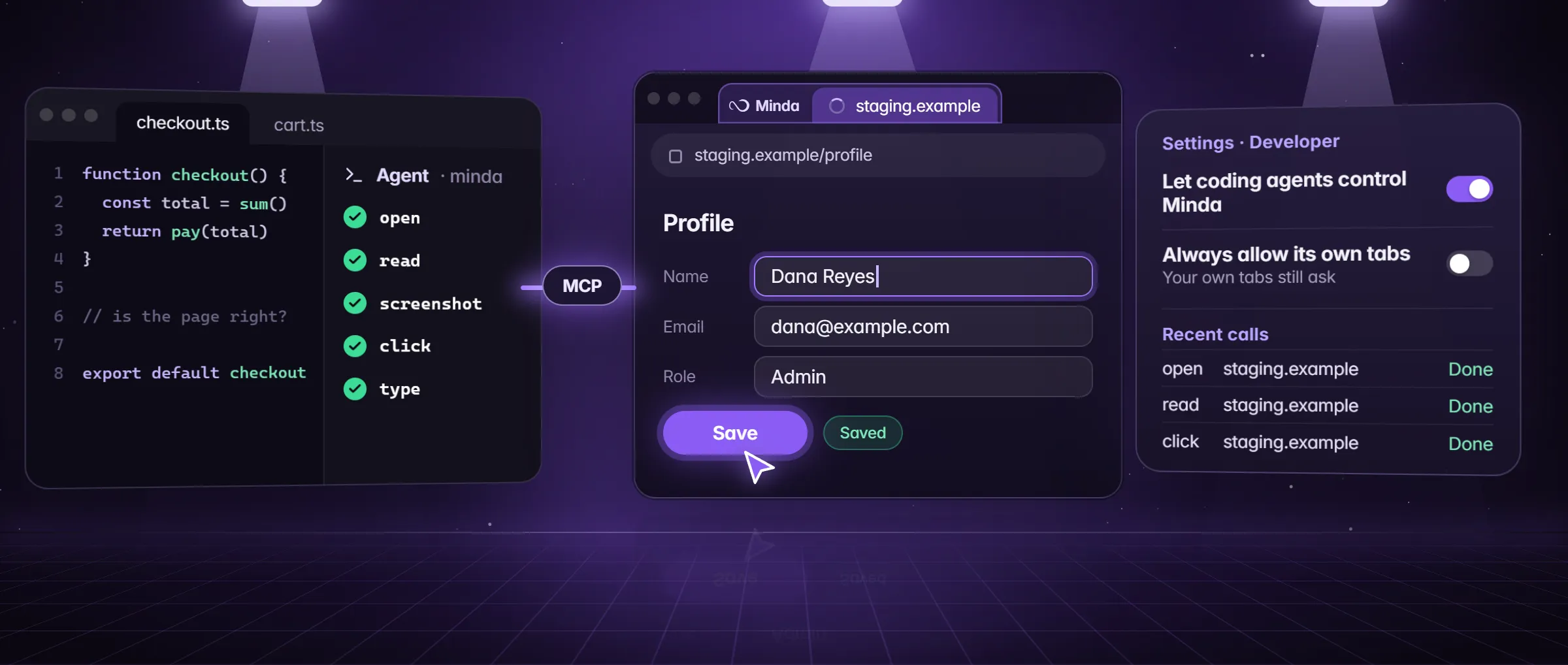
Minda’s MCP server gives Codex a browser as tools. It can open your local dev server or your staging site, take a snapshot of what can be clicked or filled, read the text, take a screenshot, click and type, then look again to check the result. It does this in Minda’s built-in browser, in background tabs of the window’s active workspace and with its sign-ins, so Codex can check the page behind your login in the state you see it.
What browser MCP is explains the idea, and the Claude Code guide covers the other agents. This page is the Codex set-up, line by line. Jobs it suits:
- Check a change in the real page. After Codex edits a component, it opens the page, reads the text and takes a screenshot, then fixes what is off.
- Reproduce a bug in your own state: the cart, the role or the data your signed-in account has, not a blank test user.
- Test a form. It types into the fields, clicks the button and reads the errors the page shows back.
- Turn a page into data.
extractreturns the page’s main table or list as rows, for a fixture or a quick look at what an admin page holds.
What do you need before you start?
- Minda Super Intelligence on the computer where Codex runs, open and signed in to the site you want checked, in the workspace you use for it. The bridge listens on 127.0.0.1 only, so Codex has to run on that same computer.
- Node.js 18 or later. Codex starts Minda’s MCP server with
node, and the server needs nothing else: it has no dependencies. - Codex in one of its local forms: the Codex CLI, its IDE extension or the ChatGPT desktop app. All three read the same
~/.codex/config.toml, so one block serves them all. - Any plan. The bridge is on every plan, Free included: open, read, screenshot, click and type.
How do I connect Codex, step by step?
- In Minda, open Settings → Developer and turn on Let coding agents control Minda. The Status line reads Listening on 127.0.0.1 and a port number.
- Under Connect an agent, pick Codex and press Copy. The block holds your computer’s own path to Minda’s MCP server,
minda-mcp.mjs. - Open
~/.codex/config.toml, the file in the.codexfolder of your home folder, paste the block and save. - Start Codex and ask it to use the minda tools, naming a task: "Use the minda tools, task Checkout test: open http://localhost:3000/checkout, snapshot it and tell me what you see."
- Answer the first card in Minda. Opening and reading need no OK; the first click or typed word asks, with Allow once, Allow for 10 minutes or Deny, and is denied after two minutes with no answer.
What does the config.toml block mean?
Settings → Developer writes the block for you. This is what each line does, so you can check it, or mend it by hand.
| Line | What it does |
|---|---|
[mcp_servers.minda] | Declares an MCP server named minda, which Codex starts by itself |
command = "node" | Runs Minda’s MCP server with Node.js, version 18 or later |
args = ['<path to minda-mcp.mjs>'] | The server file’s full path on your computer, in single quotes: a TOML literal string, which takes a Windows path’s backslashes as they are |
env = { MINDA_USER_DATA = '<profile folder>' } | Only when your Minda profile is not the one the server finds by itself: it names the profile whose connection file to read |
What is a good first task for Codex?
- Sign in to the page in Minda first, in the workspace you use for it: your local dev server, or a staging site behind its login.
- Ask Codex in plain words, with a task name: "Use the minda tools, task Sign-up check. Open http://localhost:3000/signup, snapshot it, type test@example.com in the email field, click Create account, then read the page, take a screenshot and finish."
- Watch Minda: the task’s tabs open in the background, in a tab group named Sign-up check, and the tab you are on stays on screen. A card asks before the typing and before the click.
- Codex gets the page text and the screenshot back, and can run the same check again after it changes your code.
finishcloses the task’s tabs, unless Codex asks to keep them; a task left unused for 30 minutes closes them too. - Open Settings → Developer → Recent calls: when, the tool, the site, the agent, the task and the result of each call. Page text and what was typed are never kept.
Why does Codex say Minda is not running?
Codex lists the minda tools even while Minda is closed; a call then returns the reason in plain words. Each message has one fix.
| What the call returns | Why | Fix |
|---|---|---|
| "Minda is not running, or it does not let coding agents in." | Minda is closed, or the switch is off, so there is no connection file | Open Minda and turn on Let coding agents control Minda in Settings → Developer |
| "Minda refused the token." | The server read another profile’s connection file, or an old token | Turn the switch off and on again, or point MINDA_USER_DATA at the profile that is running |
| "The user declined (or did not answer within 2 minutes)." | You pressed Deny, or the card waited two minutes | Ask Codex again and answer the card; Recent calls lists it as Declined or no answer |
| Status: Blocked by your organization | A policy, or your team, turned the bridge off | Ask whoever manages the computer or the team |
| Status: Couldn’t start | The bridge did not start | Read the reason under the status line |
What stays in your control?
- Clicks and typing ask first. Always allow its own tabs, in Settings → Developer, is off by default; turned on, Codex acts without the card in the tabs it opened, on this computer only.
- Your own tabs and data always ask: a tab Codex did not open, and searches of your history, bookmarks and notes. The card says which, and for a search, that what Codex finds may go on to its AI provider.
- Allow for 10 minutes is narrow. It covers one task and one scope only: its own tabs, one tab of yours, or one kind of search, such as your history.
- A press that pays asks while Ask before paying is on, whatever you allowed before, and so does a step Careful holds back while Careful is on.
- One switch ends it. Turning the bridge off, or quitting Minda, deletes the connection file, and New token stops the old token at once.
- Private windows are out of reach, and only http and https addresses open.
Limits
- Codex reaches Minda only from the same computer, while Minda is open with the switch on: the bridge listens on 127.0.0.1 only.
- Private windows are never reachable, and your own tabs and your history always ask, even with Always allow its own tabs on.
- What Codex reads through Minda, its pages, their text and screenshots, goes to Codex and may go on to its AI provider.
- With Always allow its own tabs on, a tab Codex opened stays its own even after it moves to your bank or mail; only the pay floor and Careful stand in the way.
Questions
Where is Codex’s config.toml?
In the .codex folder of your home folder: ~/.codex/config.toml. The Codex CLI, its IDE extension and the ChatGPT desktop app all read that one file, so one Minda block serves all three.
Does the Codex block hold my token?
No. It holds the command, the path to Minda’s MCP server and, for a profile the server does not find by itself, MINDA_USER_DATA. The token stays in Minda’s connection file, readable by your user only, and the server reads it on every call.
Can Codex act without asking me each time?
In the tabs it opened, yes: turn on Always allow its own tabs in Settings → Developer, or press Allow for 10 minutes on a card. Your own tabs and your history still ask, and so does a press that pays while Ask before paying is on.
Do I need to restart Codex after a new token?
No. Minda’s MCP server reads the port and token from the connection file on every call, so a new token or a restart of Minda reaches Codex by itself. Codex needs only the block in config.toml, added once.
Can I run the same tools from a script, without Codex?
Yes. node minda-mcp.mjs tools lists them, and node minda-mcp.mjs call <tool> '<json>' --task "<name>" runs one through the same bridge and the same cards. A screenshot is saved as a PNG file, and its path is printed.
Sources
- minda-facts.json: developer-bridge
docs/marketing/minda-facts.json#developer-bridge - The Codex block, and the Codex apps that read config.toml (formats as each vendor’s docs gave them on 2026-10-18)
src/shared/coding-agents.ts - Settings → Developer: the switch, Status, Connect an agent, New token, Recent calls
src/renderer/components/pages/settings/DeveloperSection.tsx - Minda’s MCP server: the token read on every call, its messages, the tools command
tools/minda-mcp/minda-mcp.mjs - The developer bridge: 127.0.0.1, task tabs, finish and the idle end, what a denied call returns
src/main/services/tasks/automation.ts - Who is asked, and the pay and Careful floors
src/shared/automation.ts - The approval card
src/renderer/components/automation/AutomationApproval.tsx - Coding agents: section 2, the connection file, and the token in section 5
docs/privacy.md - The bridge: Key Design Decision 50; Always allow its own tabs: Known Bug 750
docs/project-knowledge.md