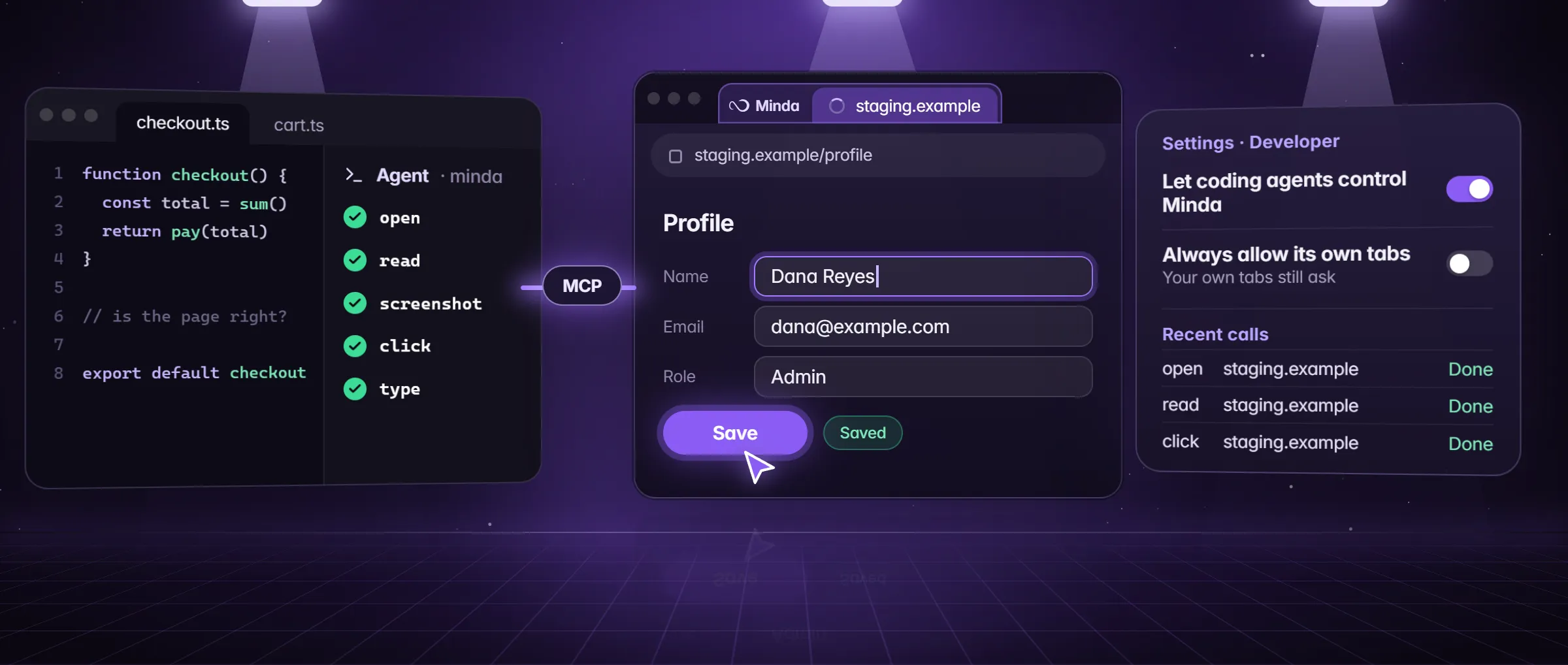
What is browser MCP?
MCP, the Model Context Protocol, is a common way for an AI app to use tools it did not ship with. The app is the client: a coding agent, a chat app, a code editor. The program that offers the tools is the server. The client asks the server for its tools (tools/list), each with a name, a description and the inputs it takes; the client’s model then calls one by name (tools/call) and reads what comes back. The messages are JSON-RPC 2.0, sent over standard input and output to a server the client starts on the same computer, or over HTTP.
Browser MCP is that arrangement with a browser behind the server. Its tools are what a person does in a browser: open an address, read the page, take a screenshot, click a button, type in a field. Because the protocol is shared, one server works with every client that speaks it: the same browser can serve Claude Code in the morning and Codex in the afternoon.
A browser MCP server either starts a browser of its own, a fresh profile with none of your sign-ins, or drives a browser you already use, signed in to your accounts. The first suits a test suite. The second suits the page behind your login. Minda Super Intelligence is the second kind: its MCP server drives Minda’s built-in browser, in the workspace that holds your sign-ins.
What can an agent do through browser MCP?
Whatever the server offers as tools, and no more. Minda’s server offers the SI agent’s own browser tools, so a coding agent works a page the way the chat agent does, one call at a time:
openan address, or search words, in a new background tab that belongs to the task; the tab you are looking at stays on screen.snapshotthe page for a numbered list of what can be clicked or filled;readgives its text,screenshota picture andextractits main table or list as rows.clickortypeby the number from the snapshot, orpress_keyandscroll, thensnapshotorreadagain to see what happened.finishwhen the work is done: it closes the task’s tabs unlesskeepis set. A task left unused for 30 minutes closes them too.
What should you check before you connect one?
A browser MCP server holds whatever its browser holds, so ask the same questions of any of them. Here is each question, why it matters, and Minda’s answer.
| Question | Why it matters | Minda’s answer |
|---|---|---|
| Whose sign-ins does it use? | A signed-in browser reaches your mail, your bank and your admin pages | The active workspace’s; private windows are never reachable |
| Where does it listen? | A port open to the network is open to others | 127.0.0.1 only, on a random port, while the switch is on |
| Who can connect? | A web page, or another program, could try | A request with the 32-byte token; one with an Origin header (a web page) or another Host is refused |
| Who approves an action? | A model can misread a page, or be steered by one | You, in a card in Minda: clicks and typing unless you allow its own tabs, your own tabs and history always |
| What is logged? | You will want to know what ran | Recent calls: when, tool, site, agent, task and result, in memory; never page text or what was typed |
| Where does what it reads go? | The agent sends it to its own AI model | To the coding agent, which may pass it on to its AI provider |
Who decides each step: the agent or you?
The agent’s model decides: it reads the tool list, picks a tool and fills in its inputs, and the server carries the call out. So the server is where you hold the line. In Minda, opening, reading, snapshots and screenshots in the task’s own tabs never ask. A click, typed text or a key press there waits for your answer, and one of your own tabs, or a search of your history, bookmarks or notes, always does.
The card in Minda names the agent, the task, what it wants to do and on which site, and offers Allow once, Allow for 10 minutes (that task, that kind of step) or Deny. With no answer in two minutes it is denied, and the agent is told that nothing was done and not to repeat it without asking you.
Always allow its own tabs, in Settings → Developer, is off by default. Turned on, it lets agents click, type and press keys in the tabs they opened without the card, on this computer only. Your own tabs and your history, bookmarks and notes still ask; so does a press that pays while Ask before paying is on, and a step Careful holds back while Careful is on.
What can go wrong with browser MCP?
- A page talks to the agent. Text on a page can be written to steer a model that reads it, which is prompt injection. Minda hands page text to the agent inside
<untrusted>tags, with a line saying it came from websites and is data, not instructions. The coding agent’s own model still has to heed that, so the card stays the backstop; how Minda handles it. - Another program takes the key. Any program running as you can read the connection file while the bridge is on, and connect as a coding agent. Your own tabs still ask, and page actions too unless you allowed its own tabs. Turn the bridge off when no agent needs it.
- What it reads leaves with the agent. The pages a task opens, their text, element lists and screenshots go to the coding agent, which may send them on to its AI provider. Keep a task to the pages it needs.
- A tab changes hands. With Always allow its own tabs on, a tab the agent opened is still its own after it moves to another site, your bank or your mail included; only the pay floor and Careful then stand in the way. Leave the setting off while a task works near accounts like those.
Which agents can use Minda’s browser over MCP?
Settings → Developer shows the command or config, with your computer’s own path, for Claude Code, Codex, Cursor, VS Code, Antigravity, Windsurf, Gemini CLI, Claude Desktop and OpenClaw. Any other MCP client connects the same way, as a local stdio server. The agent starts the server by itself, and it needs Node.js 18 or later.
Only the place differs: one terminal command for Claude Code, Gemini CLI and OpenClaw; a table in ~/.codex/config.toml for Codex; an mcpServers file for Cursor, Antigravity, Windsurf and Claude Desktop; the user configuration for VS Code. Step by step: Claude Code, Codex, and the connection guide.
Is MCP only for browsers?
No. MCP connects an AI app to any tool: a spreadsheet, a document, a calendar, your own API. Minda is on both sides of it. As a server, it gives coding agents its browser. As a client, its own AI chat uses MCP servers you add in Settings → Integrations: it saves to Excel, Word or a Google Sheet and calls your API on its own in Auto mode, each step shown under the reply. Connector secrets are kept in the operating system’s keystore and never shown to the model. Connectors lists what they reach.
Limits
- It works only while Minda is open on this computer with Let coding agents control Minda on; there is no cloud bridge, and Minda SI for Chrome has no MCP server.
- Minda marks page text as data, but the coding agent’s own model decides what to do with it: the approval card is the check Minda holds.
- Any program running as you can read the connection file while the bridge is on, so turn it off when no agent needs it.
- What a task reads goes to the coding agent and may go on to its AI provider.
Questions
What is an MCP browser?
A browser an AI agent can use through the Model Context Protocol: an MCP server offers its actions, such as open, read, screenshot, click and type, as tools, and the agent calls them one at a time. Minda Super Intelligence offers its built-in browser this way, with your sign-ins, on this computer only.
Which browser supports MCP?
Any browser an MCP server drives. Some servers start a fresh browser of their own with no sign-ins; Minda Super Intelligence has the server built in for its own browser, so an agent works in your signed-in workspace. It is off by default and on every plan.
Do I need to write code to use browser MCP?
No. You paste one command or config block into your agent once, then ask it in plain words, such as "open the staging site and check the sign-up form". The agent picks the tools. Settings → Developer gives the block with your computer’s own path.
Is browser MCP safe?
As safe as the server’s rules: check where it listens, who can connect, who approves actions and what it logs. Minda listens on 127.0.0.1 with a token, refuses requests from web pages, never reaches private windows, and asks you before clicks and typing unless you allow an agent’s own tabs.
Which plan includes Minda’s browser MCP?
Every plan, Free included: open, read, screenshot, click and type. The coding agent brings its own AI model; Minda offers the browser.
Sources
- minda-facts.json: developer-bridge
docs/marketing/minda-facts.json#developer-bridge - minda-facts.json: connectors-integrations
docs/marketing/minda-facts.json#connectors-integrations - What an MCP client does: transports, tools/list and tools/call
packages/mcp/README.md - Minda’s MCP server: JSON-RPC 2.0 over stdio, the tools and the command line
tools/minda-mcp/minda-mcp.mjs - The developer bridge: loopback, token, Origin and Host, the task’s tabs, the untrusted fence
src/main/services/tasks/automation.ts - Who is asked, Allow for 10 minutes, and the pay and Careful floors
src/shared/automation.ts - The approval card
src/renderer/components/automation/AutomationApproval.tsx - Settings → Developer: the switches and Recent calls
src/renderer/components/pages/settings/DeveloperSection.tsx - The agents Settings → Developer connects, and how each one does
src/shared/coding-agents.ts - Coding agents: section 2, and the token in section 5
docs/privacy.md - The bridge: Key Design Decision 50; Minda as an MCP client: 99; Always allow its own tabs: Known Bug 750
docs/project-knowledge.md