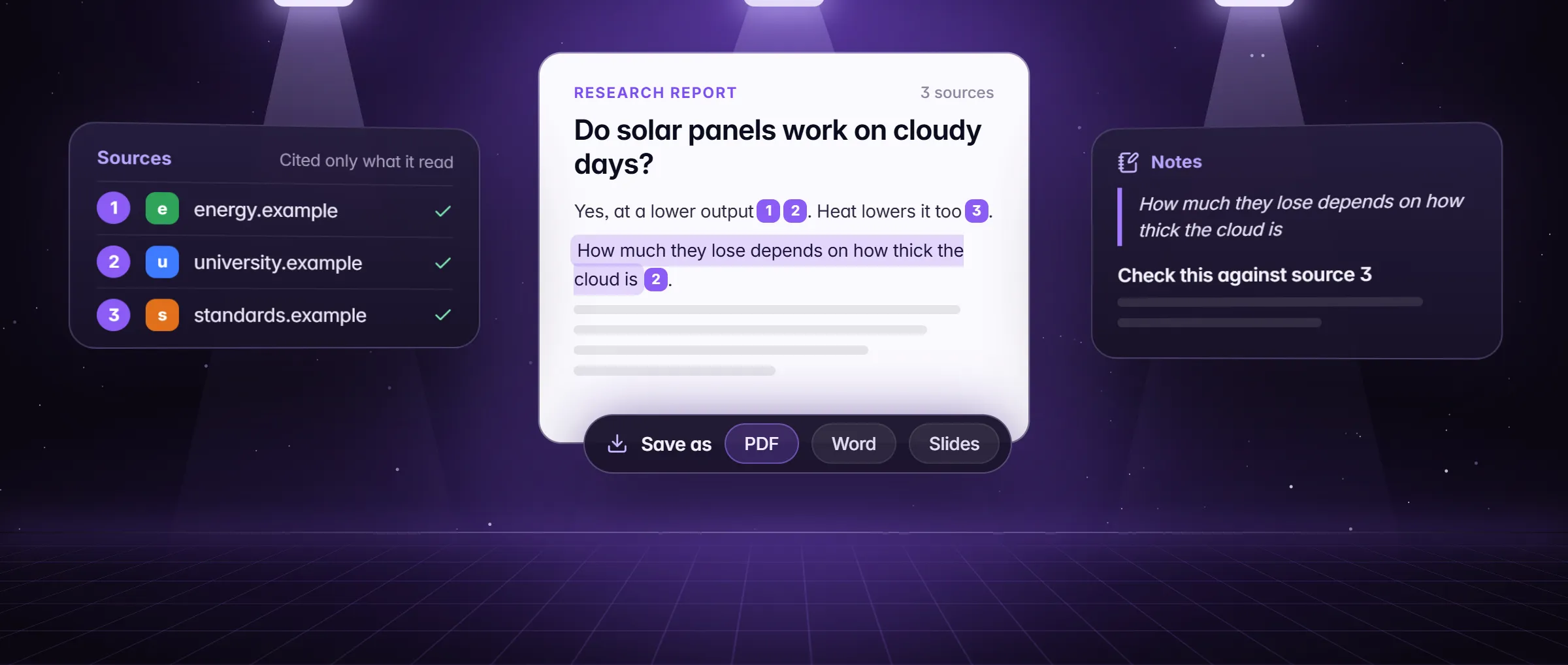
What does an AI deep research tool actually read?
Real pages, opened and read: the open web, the pages you point it at and, with no web search, what is already on your computer. A report that cites a page the tool never read is a guess with a link on it. In Minda Super Intelligence, the personal AI agent app for your computer with a built-in browser, Research mode reads real pages and lists only those it read. Start it from the Research switch in the chat box’s Modes menu ("A planned report with sources"), by typing /research and your question, or from "Research a topic in depth" in an empty chat.
- The open web. Each sub-question is searched in several wordings, and the best results are opened and read.
- Pages you point it at. Type @ in the chat and pick tabs, or All tabs in the workspace (the 20 most recent). Your picks are numbered first, and when you name the sources to use, it uses only those.
- Pages behind your sign-ins. It reads in the window’s workspace, with that workspace’s sign-ins, so a site you are signed in to there can be read.
- Videos. The transcript of a YouTube video, or any video with captions, is added, up to 20,000 characters.
- What is already on your computer. With no web search, it researches your tabs, saved pages, highlights, notes, past chats, history and bookmarks instead.
How does it pick which pages to read?
- It plans first: your question becomes 3 to 6 sub-questions, so a broad topic is covered from several sides instead of one search.
- It searches each sub-question in different wordings, so one phrasing does not decide what it finds.
- It reads in batches of up to 10 pages at a time: at least 5 sources for a narrow question and 10 to 20 for a broad one, and at most 80 pages in one research reply.
- It prefers primary sources (the table below) and labels what comes from forums and reviews.
- It cross-checks every number, price, date and name in at least two independent sources it read. When they disagree, it keeps both and says which says what.
| Kind of source | How the report uses it |
|---|---|
| Official sites, makers’ pages and documentation | Preferred: what a company, a product or an agency says itself |
| Laws, filings, research papers and government statistics | Preferred: the record a number or a rule comes from |
| Forums and reviews | For what people report, and labelled as such |
| Sources you name, with @ or in the question | Used alone when you name them, numbered first |
How does it read a page without opening a tab?
Pages are read in the background: no tab opens and your tab strip is untouched, but the read happens in the window’s workspace session, so Hide my IP, the ad blocker and the request gate apply as they would in a tab.
- An article is read from its document. Any other page loads in a lean hidden page with images off, at most 30 seconds each.
- The passages that match your question are picked on your computer, ranked by BM25 with no AI call: about 1,200 characters a page when ten pages are read at once, up to 4,000 when three are.
- Footnote numbers such as [12] on a wiki page are dropped, so the only numbers in brackets the model sees are Minda’s own citation numbers.
- A line aimed at an AI, such as a footer’s note to AI assistants, is kept even when it falls outside the chosen passages, so the SI agent can name it and you hear about it instead of it steering the report unseen.
- Sites you blocked in Settings → AI agent → Access, and a task’s "Only these sites", are honoured: a blocked site is not read.
How does it check that every citation was read?
The Sources list is not the model’s own claim. Before the reply is shown, Minda rebuilds it from what the reply actually read: the pages it cited, or, when it cited nothing, every page it read, up to 50.
- A source it never read is removed, with a note under the list: "Removed a listed source this reply did not read."
- When no page was read at all, the Sources say so: "None: no page was read for this reply."
- Each [n] in the chat is a link to the page it stands for, so checking a claim is one click.
- A model with no tools cannot search or read more pages: it writes the report from what you shared and says in the TL;DR that it rests on those sources only.
What does the report look like?
Five parts, always in this order, so you can go straight to the part you need.
- TL;DR: three lines that answer the question.
- Findings: the answer, each claim with its citation numbers.
- A comparison table when the question compares things.
- Disagreements and open questions: where the sources differ, and what they did not settle.
- Sources: one line each, the number, the page’s title and its address.
What happens when it cannot search the web?
With Keep SI on this computer, Minda refuses every cloud model and web search is off. The run does not stop and does not ask you to change the setting: it researches what is already on your computer (your tabs, saved pages, highlights, notes, past chats, history and bookmarks) and says in the TL;DR that the report rests on your own pages and notes, not on a web search.
That makes a private literature review possible: everything you clipped over a semester, answered with citations to your own saved pages. Private SI chat and running SI on your computer cover the models that run there.
Research mode or a research skill: which one?
Research mode answers any question. The gallery’s research skills run the same research with a set shape for a common job; add them once in Settings → Skills → Gallery. Research can take longer and use more model calls than a quick answer, so use it when the sources matter.
| Use | Type | What you get |
|---|---|---|
| Research mode | /research and a question | A planned report with sources on any question |
| Compare products | /compare | Prices, key specs, strengths and weaknesses side by side, and which to buy |
| Fact-check | /fact-check | A verdict from True to Unproven on a claim, with the evidence for and against |
| Literature review | /lit-review and a topic | What your saved pages, highlights and notes say about a topic, by theme; the web only fills gaps |
| What people say | /opinions | Opinions from forums, communities and reviews, grouped into themes |
| Compare prices | /prices | The products in your open tabs in one table, cheapest total first |
Limits
- It reads only what it can open: a paywall, a CAPTCHA or a sign-in that workspace does not have stays unread, and an unread page is never cited.
- A page reached during the run by opening a tab, navigating, taking a video transcript or extracting data gets no citation number; in a saved note the source links are plain text.
- A report is only as good as its sources and the model: open the citations that carry a decision before you rely on it.
- A research run is an AI request: Minda AI credits on Minda’s hosted models, or none with your own keys or Ollama on your computer.
Questions
Does deep research read the whole page?
It opens the whole page, then keeps the passages that best match your question, ranked on your computer with no AI call: about 1,200 characters a page when ten pages are read at once, up to 4,000 when three are. A video’s transcript is added, up to 20,000 characters.
Can it read pages behind my logins?
Yes, in the window’s workspace: it reads with that workspace’s sign-ins, so a site you are signed in to there can be read. A paywall, a CAPTCHA or a sign-in that workspace does not have stays unread, and an unread page is not cited.
What if the AI lists a source it never read?
It is removed. Before the reply is shown, Minda rebuilds the Sources list from the pages the run actually read, drops any it never read and adds a note saying so. When no page was read, the Sources say exactly that.
Can I run deep research with nothing sent to the cloud?
Yes, with Keep SI on this computer: web search is refused, and the run researches your tabs, saved pages, highlights, notes, past chats, history and bookmarks, then says in the TL;DR that the report rests on your own pages and notes.
Sources
- minda-facts.json: deep-research
docs/marketing/minda-facts.json#deep-research - minda-facts.json: skills (the gallery)
docs/marketing/minda-facts.json#skills - minda-facts.json: private-ai (Keep SI on this computer)
docs/marketing/minda-facts.json#private-ai - Research mode: the plan, the source rules, the report and the Sources list
src/main/services/ai/research.ts - How research reads a page: the lean hidden page, BM25 passages, transcripts and footnotes
src/main/services/ai/agent-research.ts - The Research switch in the Modes menu
src/renderer/components/ai-sidebar/ModesMenu.tsx - The @ menu: All tabs in a workspace, the 20 most recent
src/renderer/components/ai-sidebar/ChatInput.tsx - The research templates of the skill gallery
src/shared/skill-gallery.ts - Deep research: Key Design Decision 47 and Known Bugs 138 and 140
docs/project-knowledge.md