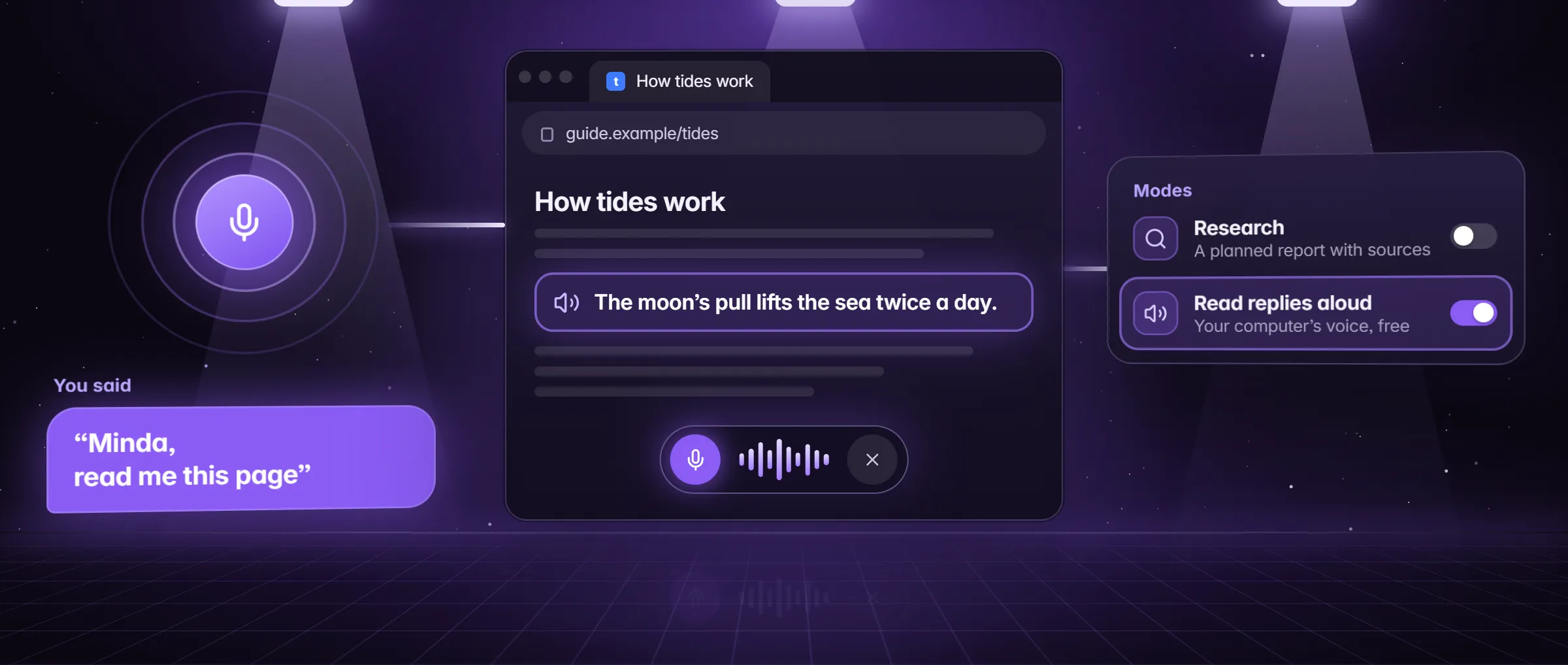
What makes a voice assistant for PC an AI one?
It understands a sentence in your own words and acts on it, where a voice command tool answers only to fixed phrases, such as the exact words that open an app or set a timer. An AI voice assistant reads the page you are on, starts a task of many steps and tells you how it went.
Minda Super Intelligence is the personal AI agent app for your computer, with a built-in browser. Its voice assistant reaches the browser, your pages, your notifications, the SI agent and, with your OK, the rest of the computer. Say "Minda" and what you want.
- Runs the browser. Tabs, scrolling, zoom, panels, notes, settings and the time are decided on your computer: "next tab", "zoom in", "new note", "what time is it".
- Answers from your own day. "Good morning" or "brief me" gives the time, today’s calendar, new notifications and what the agent is doing; "what’s new" reads your new notifications and messages. Both come from Minda’s own state, with no model asked.
- Drafts, never sends. "Reply to 2: on my way" types the reply into that conversation’s box; you press Send.
- Hands work to the SI agent. "Find a dentist in Austin open on Saturday and book the first slot" starts a task. Up to 3 tasks run at once, and when a step needs your OK, Minda asks aloud and waits for your yes or no.
- Timers, reminders and music. "Set a timer for 20 minutes", "remind me at 5 pm to call the bank" (a reminder at a clock time also goes on your calendar), or "play some jazz on YouTube, close it after 30 min".
What can it do outside the browser?
With your OK each time, the SI agent looks at your screen or one app window, and opens the programs on your sidebar and the documents in folders you share with it, each in its own app. The Computer level in Settings → AI agent → Access sets how far it may go: Off, Look only, Ask each step or Full control.
It clicks and types in other programs only after you turn on computer control in Settings → Integrations → This computer, and that works on Windows. A model that cannot see pictures gets the text Windows reads in the window instead, on your computer. Computer control shows each level.
Which commands stay on your computer, and which go to a model?
Commands for the browser and your own day stay on your computer; questions and tasks go to a model. Every word you say is first turned into text, which is why the voice itself is sent; after that, Minda decides what it can itself and sends a model only what needs one.
| What you say | Who answers | What else is sent |
|---|---|---|
| Anything at all, to be heard | Speech to text | A 16 kHz clip of at most 12 seconds: to OpenAI with your key, or to Minda’s hosted SI on credits |
| "Next tab", "zoom in", "new note", "what time is it" | Minda, on your computer | Nothing more |
| "Brief me", "what’s new" | Minda, from its own state | Nothing more |
| A question, such as "what is the return window on this page" | The model you use | Your words with the page’s title and address; the page’s text only for a question about the page |
| A task, such as "book the 9 am slot" | The SI agent | What the task needs, as any agent turn |
How do I set how it listens and talks?
Right-click the mic button for the switches; each is one press, on or off.
| Switch | What it does | At the start |
|---|---|---|
| Live conversation | Saying "Minda" opens a spoken conversation with a realtime voice model that you can talk over, until about 15 seconds of quiet; Minda AI credits only, not your own OpenAI key | On |
| Listen without "Minda" | Anything you ask is a request, with no name first | Off |
| Keep listening after a reply | For 8 seconds after a reply, the next thing you say needs no "Minda" | Off |
| Interrupt by talking | Talk over Minda to cut in | On |
| Say what the agent is doing | Now and then, while it works on a task | Off |
| Short answers | One sentence, for quick replies | Off |
| Save voice conversations | Each day’s voice chat is kept in History, so Minda remembers tomorrow | On |
Where does my voice go, and what does it cost?
To speech to text first: OpenAI with your own key, Minda’s hosted SI on your credits, or, with Keep SI on this computer on Windows, Windows’ own recognizer on the PC. On other systems, Keep SI on this computer refuses the voice assistant. A reply read in the computer’s own voice is made on the PC; a Minda AI voice uses credits.
Access credits add 1,000 Minda AI credits a month on any plan, Free included, for people with disabilities, on their own word: one tick, no proof or reason asked for or kept. The voice assistant itself is on every plan.
| Route | Who turns speech into text | Credits |
|---|---|---|
| Your own OpenAI key | OpenAI, with your key | None |
| Minda AI | Minda’s hosted SI | At least 1 a clip; Minda Live uses credits while it talks |
| Keep SI on this computer, on Windows | Windows’ own speech recognizer, on the computer; a model in Ollama answers | None, and nothing is sent |
What does a day with a voice assistant on your PC sound like?
A workday in Denver, said aloud. Each line is one sentence; none needs a fixed command.
| When | You say | What happens |
|---|---|---|
| 7:30 am, making coffee | "Minda, good morning" | The time, today’s calendar, new notifications and what the agent is doing, from Minda’s own state |
| 9:00 am, at your desk | "Minda, search for flights from Denver to Boston in June" | A search opens in the browser |
| 10:15 am, reading | "Minda, what does this page say about returns" | The page’s text goes to the model you use, and the answer is read aloud |
| 11:00 am, in a hurry | "Minda, compare the three laptops in my tabs and tell me which costs least" | The SI agent works through the tabs; when the task ends, you hear its answer in a few sentences |
| 1:00 pm, lunch | "Minda, set a timer for 25 minutes" | A timer that rings while Minda runs |
| 4:45 pm, wrapping up | "Minda, remind me at 6 pm to call the bank" | A reminder at a clock time, which also goes on your calendar |
What should I check before I trust a voice assistant on my PC?
- Does it say what it sends? Minda has no on-device wake word and says so: each clip goes for transcription, and silence never does.
- Can it keep everything on the computer? On Windows, Keep SI on this computer does: Windows hears and a model in Ollama answers.
- Does it ask before it acts? A task step that needs your OK is asked aloud, and a reply to a message is typed into the box, never sent.
- Can you see what it sent? The AI activity log lists each request by kind and length, never your words.
- What does an hour of talking cost? On Minda AI each clip is at least 1 credit; with your own OpenAI key it costs no credits.
- Can you use it without your hands? Alt+W turns the microphone on or off from anywhere in Minda; Listen without "Minda" and Keep listening after a reply cut out the name.
Limits
- There is no on-device wake word: each clip of at most 12 seconds you say is sent for transcription, to OpenAI with your key or to Minda’s hosted SI on credits; only Keep SI on this computer, on Windows, keeps it on the computer, and other systems then refuse the voice assistant.
- Minda Live runs on Minda AI credits only, needs at least 10 to start and allows one session per account at a time; it is off while Keep SI on this computer is on.
- Clicking and typing in other programs needs computer control turned on and works on Windows; each look at the screen asks for your OK.
- Timers and reminders are kept while Minda runs; a reminder at a clock time also goes on your calendar.
Questions
Is there a free AI voice assistant for PC?
Minda’s voice assistant is on every plan, Free included. With your own OpenAI key the clips cost no Minda AI credits, and on Windows, Keep SI on this computer uses Windows’ own recognizer and a model in Ollama. On Minda AI each clip is at least 1 credit.
Can it control programs other than the browser?
With your OK each time, the SI agent looks at your screen or one app window and opens the programs on your sidebar and documents in folders you share. It clicks and types in other programs only after you turn on computer control in Settings → Integrations → This computer, on Windows.
Can I talk over it?
Yes. Interrupt by talking is on from the start: talk over Minda to cut in, or say "stop" while it speaks. In Minda Live you can talk over it at any time.
What does Minda Live need?
Minda Live talks back in real time until about 15 seconds of quiet. It runs on Minda AI credits only, not your own OpenAI key, needs at least 10 to start, allows one session per account at a time, and is off while Keep SI on this computer is on.
Sources
- minda-facts.json: jarvis
docs/marketing/minda-facts.json#jarvis - minda-facts.json: ai-agent (beyond the browser, the Computer level, computer control)
docs/marketing/minda-facts.json#ai-agent - minda-facts.json: private-ai (Keep SI on this computer)
docs/marketing/minda-facts.json#private-ai - minda-facts.json: offers (Access credits)
docs/marketing/minda-facts.json#offers - What Minda keeps and sends: section 2, the voice assistant row
docs/privacy.md - The mic menu and its defaults
src/renderer/components/jarvis/JarvisMenu.tsx - The voice assistant’s settings and defaults
src/shared/jarvis-prefs.ts - What the voice answers from Minda’s own state: briefing, notifications, replies, timers, reminders, play
src/shared/jarvis-intents.ts - Timers and reminders
src/renderer/lib/jarvis-timers.ts - Tasks handed to the SI agent by voice, up to 3 at once
src/renderer/lib/jarvis-agent.ts - Alt+W, Minda Live and the voice assistant: Key Design Decisions 11 and 154
docs/project-knowledge.md