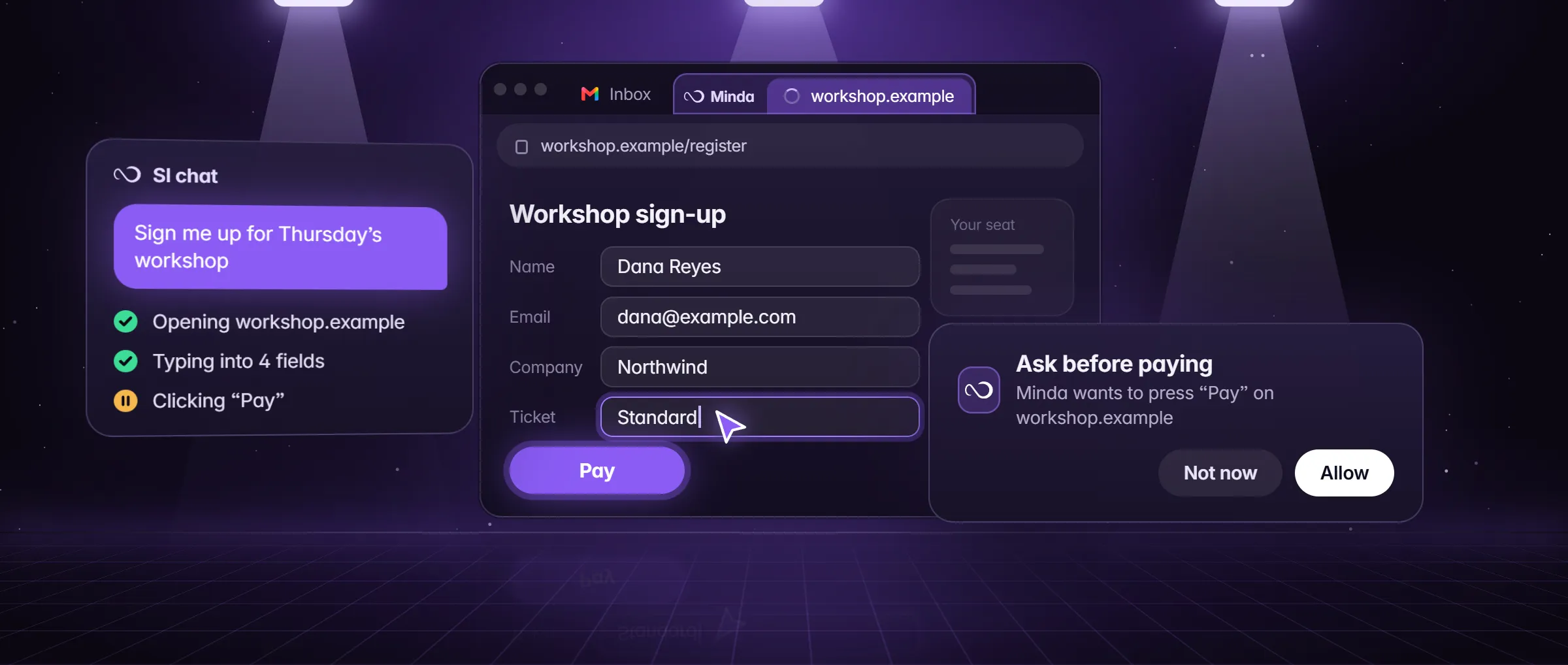
What should an AI assistant for PC do: chat, or act?
Act. A chat assistant answers in words and leaves the clicking to you; an assistant that acts opens the page, presses the buttons, fills the form and tells you what it did. That is the line between a helper you talk to and one you hand work to, and it is the first thing to check on any AI assistant for PC. The rest of this checklist is about what keeps an assistant that acts safe and affordable: whose accounts it works in, how you talk to it, what it sends, where it stops and what it costs.
Minda Super Intelligence is the personal AI agent app for your computer: one chat that answers and acts, with an SI agent that works in its built-in browser and, after your OK, beyond it. The table is the whole checklist in one view, with what Minda does on each line; the sections below explain each check. What is an AI agent covers the basics of an agent on a page.
| Check | Why it matters | In Minda Super Intelligence |
|---|---|---|
| It acts on pages | An answer still leaves the work to you | The SI agent clicks, types and fills forms; Stop ends a run at any time |
| It works in your own accounts | Signing in again on someone else’s computer hands over your sessions | It uses the sign-ins already in each workspace, out of your sight |
| It goes beyond the browser only with your OK | Your files and programs are not a web page | A Computer level from Off to Full control; a look at your screen after your OK each time |
| You can talk to it | Speaking is quicker for short jobs | Say "Minda" and ask; your speech is sent for transcription |
| It shows what it sent | You should know which provider read your words | The AI activity log: provider, model, host, character counts and page titles, never the words |
| It can stay off the cloud | Some work should not leave the computer | Keep SI on this computer refuses every cloud provider before anything is sent |
| It asks before it pays | A wrong press can cost money | Ask before paying is on by default |
| It is free to start | You should try it on real work first | Every function on the Free plan, with 100 Minda AI credits a month |
Does it work in your own apps and accounts?
It should, and it should not need your passwords to do it. A cloud agent runs on a computer someone else owns, where you sign in again; an assistant on your PC can work in the accounts that are already open there. The SI agent opens pages in background tabs with the sign-ins of the workspace you name, so the tab you are using stays in front, and it hands the page to you for a login or a CAPTCHA and takes it back when you are done.
Each workspace keeps its own cookies and sign-ins, so the agent can work in two accounts of one site at once: name the workspace next to the word workspace or account ("in the Client B workspace"), or say "every account" and helpers take one account each, side by side. Only your own words pick a workspace, never text on a web page. Two accounts of one site at once shows the set-up.
Beyond the browser, the Computer level sets how far it may go: Off, Look only, Ask each step or Full control (Settings → AI agent → Access). After your OK each time, it looks at your screen or one app window and opens the programs on your sidebar and the documents in folders you share with it. Clicking and typing in other programs comes only after you turn on computer control in Settings → Integrations → This computer, works on Windows only, and its connectors need uv or Node.js, which Minda does not install for you. Computer control has the details.
Can you talk to it, and where does your voice go?
Look for a voice that does real work, and for a plain statement of where the audio goes. Minda’s voice assistant is on every plan: say "Minda" and ask it to open a site, search, read the page or control the browser. There is no on-device wake word: your speech, a clip of at most 12 seconds, is sent for transcription, to OpenAI with your own key or to Minda’s hosted AI on your credits. The first use shows a notice about where audio goes and warns against recording people who have not agreed.
With Keep SI on this computer turned on, Windows’ own speech recognizer hears you on the computer; other systems refuse the voice assistant in that mode. Voice setup (right-click the mic) checks how your voice reaches the microphone and turns up a voice that is too quiet, kept on that computer for that microphone. Meet Minda shows the voice assistant at work.
What does it send off your computer, and can you keep it there?
Every AI assistant sends something somewhere; what matters is whether you can see it and switch it off. An AI request from Minda sends the words of your chat and the page the agent is working on to the provider you chose: Minda’s hosted models on credits, your own OpenAI, Claude, Gemini, DeepSeek, OpenRouter or Qwen key, or Ollama on your computer.
- The AI activity log (Settings → AI → AI activity) lists each request: provider, model, host, character counts and page titles. The words themselves are never kept, in the log or in the credit history.
- Keep SI on this computer (Settings → AI → Privacy) makes Minda refuse every cloud provider, its own hosted models, cloud speech and the agent’s outside-service tools before anything is sent; chat then runs on Ollama on your computer, with no credits.
- Temporary chats are never saved, and a private window always uses them.
- A published audit. What Minda sends, feature by feature, with the code behind each row, is on what leaves your computer.
Does it ask before it pays, sends or posts?
An assistant that acts needs places where it stops, and you should be able to see and change them. In Minda the SI agent runs page actions on its own (Auto mode, on by default in the chat box’s Modes menu), and four settings decide what waits for you.
- Ask before paying, on by default: a press that pays, buys or places an order, and card or bank details typed, wait for your OK. A background task that reaches that point waits in Tasks and posts a notice.
- Leave it for my review: say "for my review" or "draft", and a press that finishes the work (Submit, Send, Post, Publish, Approve, Pay) waits for your OK in tasks and schedules.
- Careful, off by default: with Auto on, a step that sends, posts, deletes, uploads, types a password or gives access waits for your OK.
- Site rules: block a site in Settings → AI agent → Access and the agent never reads, opens or acts on it; every family of tools has its own switch.
What does the Free plan give, and what costs credits?
Look for a free plan that lets you try the real thing, not a demo. Minda’s Free plan has every function: the SI agent on pages with no daily limit, unlimited workspaces, the voice assistant, scheduled tasks and automations, sync, and the standard and premium hosted models. The plans differ by credits and counts, never by functions.
Credits pay for hosted AI. Free has 100 Minda AI credits a month and 30 free everyday replies a day; Pro has 2,000 credits a month and 100 everyday replies a day, with a 7-day trial that needs no card. A standard message starts at 1 credit, larger models cost more, and failed or empty replies are never charged. With your own OpenAI, Claude, Gemini or DeepSeek key, or Ollama on your computer, AI requests cost no credits on any plan. How Minda AI credits work has the arithmetic, and pricing has the table.
How do you test an AI assistant for PC in ten minutes?
- Give it one real job of three or more steps on a site you are signed in to, such as "find my last three electric bills in my utility account and put the amounts in a table". Watch whether it does the steps or only describes them.
- Take it to a checkout for something small and check that it stops for your OK before the press that pays; stay ready to press Stop.
- Say "for my review" in a task that ends in a send, and check that the Send waits for you.
- Open its log and read what each request sent, and to which provider.
- Switch the cloud off and see what still works: in Minda, Keep SI on this computer with a model in Ollama.
- Talk to it, and read where the first-use notice says your audio goes.
- Check the platform before you plan around it: Minda Super Intelligence for Windows 10 and 11 (64-bit) is coming soon; macOS and Linux builds are not published yet.
Limits
- Minda Super Intelligence for Windows 10 and 11 (64-bit) is coming soon; macOS and Linux builds are not published yet.
- Clicking and typing in other programs works on Windows only, after you turn on computer control, and its connectors need uv or Node.js, which Minda does not install.
- There is no on-device wake word: speech is sent for transcription, except with Keep SI on this computer on Windows, where Windows’ own recognizer hears it.
- The agent’s turns are AI requests: Minda AI credits on hosted models (100 a month on Free), or none with your own keys or Ollama.
Questions
Is there a free AI assistant for PC?
Minda Super Intelligence has a Free plan with every function, the SI agent on pages included, with 100 Minda AI credits a month and 30 free everyday replies a day. With your own OpenAI, Claude, Gemini or DeepSeek key, or Ollama on your computer, requests cost no credits. Windows downloads are coming soon.
Can an AI assistant for PC control my computer?
Minda’s can, as far as you allow. The Computer level goes from Off to Full control; it looks at your screen and opens sidebar programs and shared documents after your OK each time. Clicking and typing in other Windows programs needs computer control turned on in Settings → Integrations → This computer.
Is a voice assistant for PC the same thing?
Not quite. A voice assistant answers and opens things when you speak; an assistant that acts also clicks, types and fills forms for you. In Minda, voice is one way to talk to the same SI: say "Minda" and ask, and your speech is sent for transcription.
Does it work without the internet?
Partly. With Keep SI on this computer, Minda refuses every cloud provider before anything is sent, and chat runs on a model in Ollama on your computer, with no credits. Web pages, web search and the agent’s work on sites need a connection, as any page does.
Which computers does it run on?
Windows comes first: Minda Super Intelligence for Windows 10 and 11 (64-bit) is coming soon, and macOS and Linux builds are not published yet. On your phone, the account page shows the inbox and tasks of your computers, where you allow, deny or stop what a computer asks.
Sources
- minda-facts.json: ai-agent
docs/marketing/minda-facts.json#ai-agent - minda-facts.json: jarvis
docs/marketing/minda-facts.json#jarvis - minda-facts.json: private-ai
docs/marketing/minda-facts.json#private-ai - minda-facts.json: minda-ai
docs/marketing/minda-facts.json#minda-ai - minda-facts.json: ai-chat-own-keys
docs/marketing/minda-facts.json#ai-chat-own-keys - minda-facts.json: workspaces
docs/marketing/minda-facts.json#workspaces - minda-facts.json: plans and platforms
docs/marketing/minda-facts.json#plans - Computer control: the levels, the connectors and the Windows-only clicks
tools/website/hub/data/product.mjs - Site rules: a blocked site is never read, opened or acted on
src/shared/agent-access.ts - Plans: credits, everyday replies and the 7-day Pro trial
src/shared/plans.ts - Billing: the Pro trial asks for no card
docs/project-knowledge.md - The site’s download line
tools/website/hub/data/browsers.mjs - What Minda keeps and sends: sections 2 and 3
docs/privacy.md