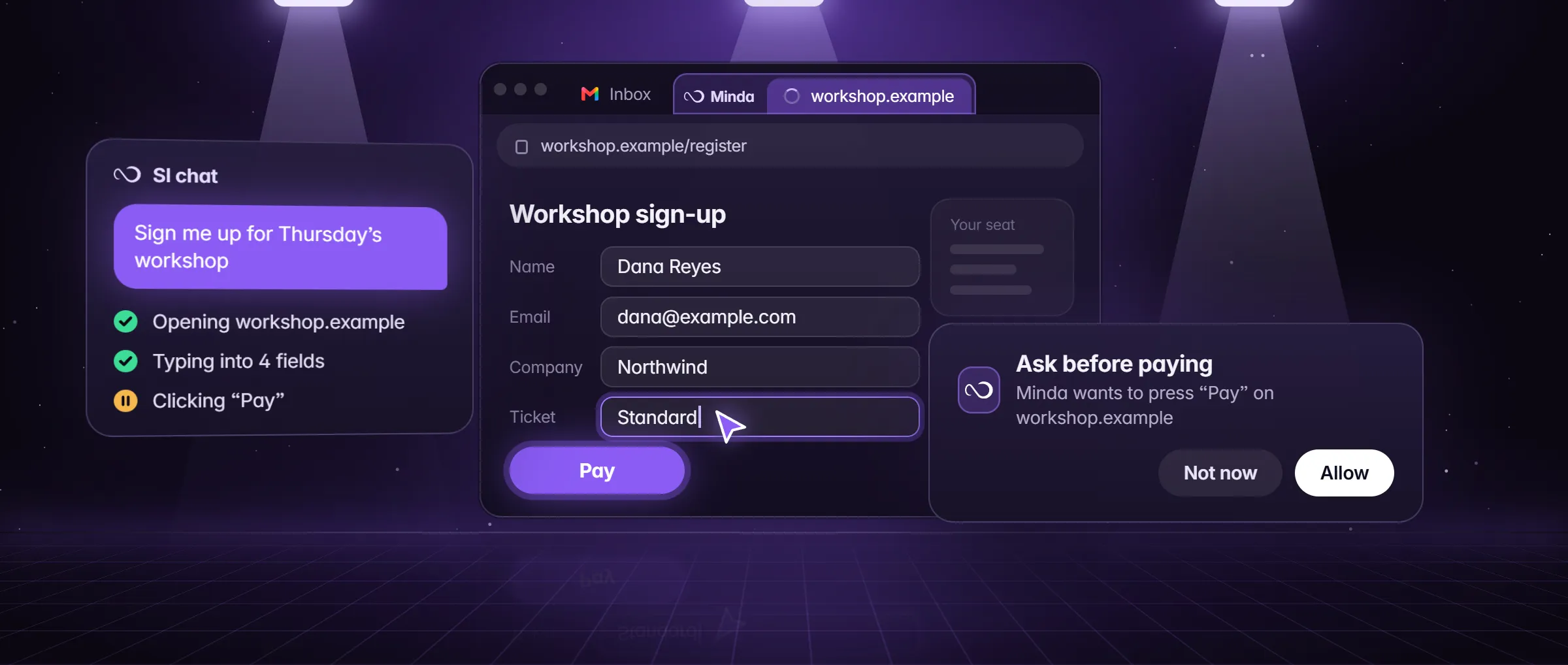
What is form filling by an AI agent?
Form filling by an AI agent means software reads a web form, works out what each field asks, and types your answers into it, field by field, while you watch or wait. The agent does the typing; you keep the decision to send.
A browser’s autofill fills the few fields it has saved, such as a name, an address or a card. An agent reads the labels, so it can answer "Number of staff" from your note, pick a state from a menu, tick a radio button by its legend and move on to the next page. It also knows where to stop: Submit, Send and Pay are the presses it holds for you.
How does the agent fill a form, and where do the answers come from?
The SI agent reads the page: the form’s fields, their labels and the numbered elements it can press. It then fills the form in one step, every field with its value (text boxes, menus, dates, radio buttons and checkboxes), and presses the submit button only when you asked for the form to be sent. It reads a plain field back after typing it, and it sends no form whose plain field the page changed.
The answers come from what you give it:
- Your words. "My phone is 602-555-0142; we have 38 staff."
- A note. Type @ in the chat and pick it. A note you wrote is your own words, attached as context.
- A file. Attach a PDF, a Word or an Excel file; Minda reads them.
- Nothing. For a field with no answer the right move is a blank. Say so in the prompt: "leave it blank when my note does not say, and list those".
An example: a vendor-onboarding form for a Phoenix clinic
Lena Ortiz runs the front office of a small clinic in Phoenix. A medical-supply vendor sends a 40-field onboarding form over three pages. She does it with one note.
- She keeps a note called "Clinic vendor info": legal name, address, phone, opening hours, number of staff, the contact person and the insurance carrier. Social Security numbers, bank details and passwords are not in it.
- She opens the form at vendors.example in her Clinic workspace, where she is signed in, then opens the chat (Alt+Q) and turns on Careful in the Modes menu so the final press waits.
- She types: "Fill this onboarding form from the note @Clinic vendor info, in the Clinic workspace, for my review. Leave blank any field the note does not answer and list them."
- The SI agent reads page one and fills its 14 fields in one step, presses Next, and does the same on pages two and three. A live checklist shows where it is.
- It stops at Submit. The report lists three fields the note did not answer: the billing contact’s email, the preferred delivery day and the policy number. Lena types those three herself.
- She reads the filled form, presses Allow on the Submit card, and the agent presses it. The action log keeps the tool, the site and the result.
What can you use an AI form filler for?
- Vendor and supplier onboarding. The same company details, entered once per form.
- Intake forms. School, camp, clinic or club forms that ask for the same family or patient details every year.
- Permit and licence applications. The address, the parcel number and the contact fields, from a note.
- Job applications. One note of your answers, one application at a time (how that works).
- Registrations. Events, classes and conferences that ask for your details again.
- Repeated internal forms. A weekly timesheet or an expense form, on a schedule.
How do I fill a form with the SI agent in Minda?
- Write your answers once in a note: legal name, address, phone, hours, contacts. Keep Social Security numbers, bank details and passwords out of it.
- Open the form in the workspace whose sign-in it needs, and sign in yourself if it asks.
- Open the chat (Alt+Q), turn on Careful in the Modes menu and type @ to pick the note.
- Say: "Fill this form from my Vendor note, in the Clinic workspace, for my review. Leave a field blank when the note does not say, and list those."
- Watch the live checklist, or open the agent’s tab to see the form fill. Press Stop to end it: what is filled stays, and nothing is submitted.
- Read the form, fill the blanks, and press Allow on the Submit card when you are satisfied.
Where does it stop: payments, logins, uploads and multi-page forms?
Some parts of a form are held for you whatever you ask. This is what the agent does at each.
| The form has | What the agent does |
|---|---|
| A card, bank or account field, or a Pay button | Ask before paying holds it. Card or bank details typed, and a press that pays, wait for your OK. It types a value only when you gave one. |
| A sign-in or a password | It hands you the page ("take over and hand back") and takes it back when you are done. With Careful on, typing a password waits for your OK. |
| A CAPTCHA or an age check | Left to you. The agent does not go around a bot check. |
| A file upload | With Careful on, an upload waits for your OK. |
| Several pages | It fills one page, presses Next and goes on. A required field the page refuses is read back to it, with the page’s own message. |
| Menus, dates and radio buttons | Picked by their labels, and a date is entered the way the page expects it. |
Can it repeat a form on a schedule, and what happens when a field is refused?
A saved agent keeps its brief and the workspace it was made in, and a schedule runs it, from every 15 minutes to a cron line of your own, while Minda is open. Scheduled runs act on their own and stop for your OK before anything that pays while Ask before paying is on; a run that waits posts a notice and tells you. A finishing press under Leave it for my review waits the same way in tasks and schedules.
When a page refuses a field, the agent is told which one and why. A required field or a wrongly typed email comes back to it as "label: message", in the browser’s own words, and it fixes that field. If a press may have gone through but the page showed an error, the agent is told to look at the page before it repeats the press, so it does not send twice. The report ends with what it did, what it found and what it could not do.
Limits
- CAPTCHAs and sites whose terms ban automation stop it: the agent hands the page to you and does not go around bot checks.
- No accuracy figure is claimed: you read the filled form before anything is sent, and the blanks are yours.
- Card or bank details typed and a press that pays wait for your OK. Leave it for my review holds a Submit in a chat only while Auto is off or Careful is on, and always in tasks and schedules.
- A schedule keeps the workspace it was made in and runs only while Minda is open.
Questions
Can AI fill out forms for me?
Yes. In Minda the SI agent reads the form and fills each field from your words, a note or a file, in your own signed-in accounts. It stops before Submit when you ask for your review, and a payment waits for your OK by default.
Does the agent submit the form without asking?
Not when you say "for my review", "draft" or "do not submit": a press that finishes the work waits for your OK in tasks and schedules, and in a chat while Auto is off or Careful is on. Payments wait under Ask before paying.
Is it safe to put my details in a note?
Keep in the note only what forms ask for. Never put Social Security numbers, bank details or passwords in it. An attached note goes to the model you picked; with Ollama the request stays on your computer.
What happens if the form has a CAPTCHA?
The agent hands the page to you. You solve it, and it takes the page back and goes on. Minda does not go around CAPTCHAs or bot checks, and a site whose terms ban automation is yours to leave alone.
How much does form filling cost?
The agent is on every plan with no daily limit. Its turns are AI requests: Minda AI credits on hosted models (100 a month on Free, 2,000 on Pro), none with your own key or Ollama.
Sources
- minda-facts.json: ai-agent
docs/marketing/minda-facts.json#ai-agent - minda-facts.json: workspaces
docs/marketing/minda-facts.json#workspaces - minda-facts.json: notes-and-knowledge
docs/marketing/minda-facts.json#notes-and-knowledge - minda-facts.json: scheduled-tasks
docs/marketing/minda-facts.json#scheduled-tasks - fill_form, the fields a form refused and the payment rules
docs/project-knowledge.md - What Minda keeps and sends: section 2
docs/privacy.md