Browse topics
Topic
Web scraping explained: from a page to a spreadsheet, with no code
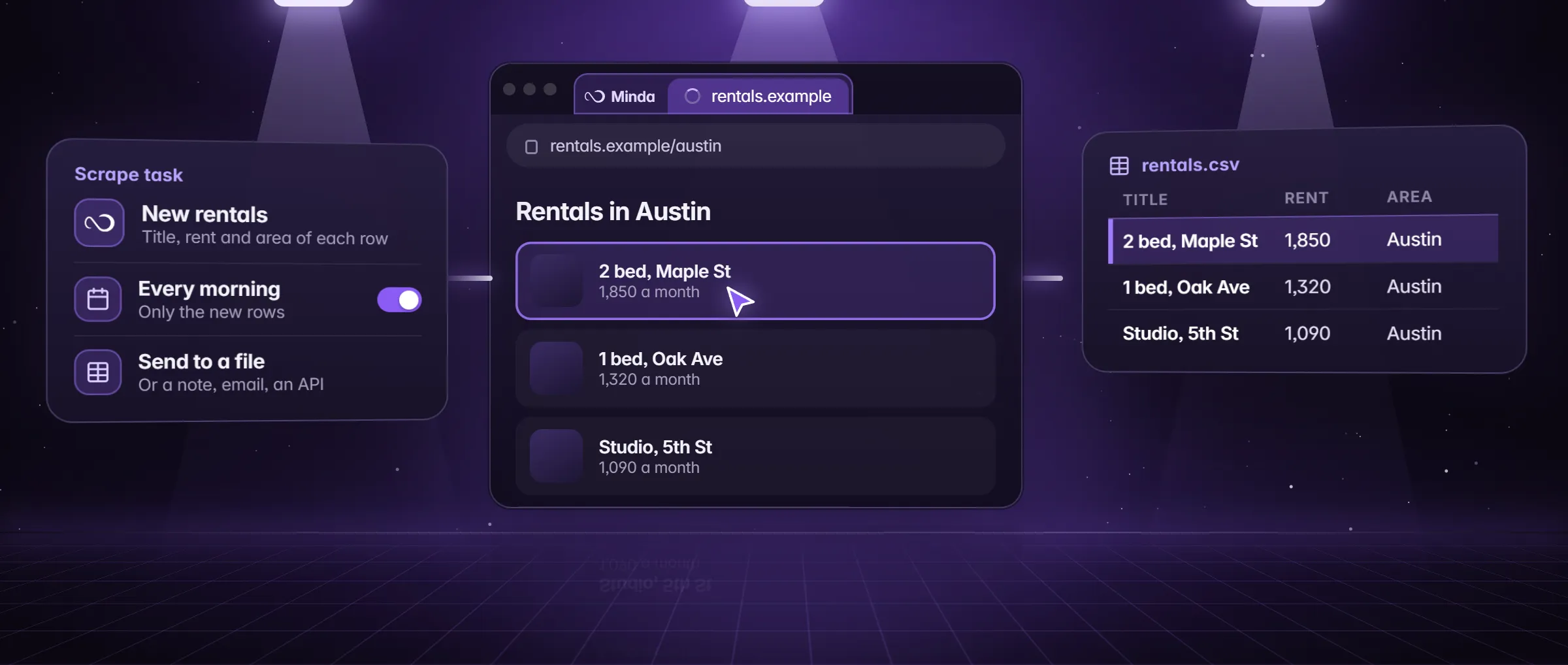
Web scraping is copying data from web pages into rows: names, prices, links, dates. Minda Super Intelligence does it with no code and no AI on every plan: Extract data finds the list, a scrape task runs it on a schedule and sends new rows to a note, Excel, your API, email or WhatsApp, while Minda is open.
4 articlesLast updated
Web scraping in plain words
What it is, how it works, an example, what people use it for and how to start.
What is web scraping?
Web scraping is copying data from web pages into rows you can use: names, prices, links, dates, pulled from a list or a table into a spreadsheet, a note or another program, by a program instead of by hand.
How it works
In Minda Super Intelligence, Extract data finds the main list on a page and its columns, or you press Pick and point at the first title, price or link; the click becomes a pattern that matches every item, with no code. A scrape task runs it on a schedule, follows next pages, keeps only new rows and sends them to a note, Excel or CSV, your API, email or WhatsApp. An SI agent can read fields a pattern cannot.
An example
A Vermont farmers’ market manager opens the state’s vendor directory in Minda, presses Extract data, keeps the Name, Town and Website columns, and schedules it weekly to an Excel file. Each Monday she gets only the vendors added since last week.
Use cases
- A table on a web page into Excel or CSV
- New job or property listings every morning, only the new rows
- Prices from a supplier portal you are signed in to
- A directory into a lead list you may use
- Fields an AI agent reads when a page has no clean list
How to use it in Minda
- Open the page in Minda, in the workspace whose sign-in it needs.
- Press Extract data; keep or rename the columns, or Pick your own fields.
- Choose Send results to: a note, Excel or CSV, your API, email or WhatsApp.
- Set a schedule and tick Only new rows, then Run now.
- Check the site’s terms first and stop at a bot check or a CAPTCHA.
Articles
Newest first. Each one answers its question in the first lines, then shows the steps and the limits.
- Explainer
AI web scraper: what it is and how to use one
An AI web scraper reads a page and fills the fields you name, with no selectors. How it differs from a classic scraper, what it costs and where it stops.
Read - Guide
Extract a table from a web page to Excel
Turn a table or list on a web page into an Excel or CSV file with Extract data: no code, no AI, no credits. Steps, limits and a way to keep it fresh.
Read - Comparison
Web scraper Chrome extension or a scrape task?
A Chrome extension scrapes the tab you are on; a scheduled scrape task runs by itself. What each does, what Minda SI for Chrome does, and how to choose.
Read - Explainer
What is web scraping? A plain explanation
Web scraping copies data from web pages into rows, by program, not by hand. How it works, an example, what is allowed, and how to scrape with no code.
Read
Free tools
Every tool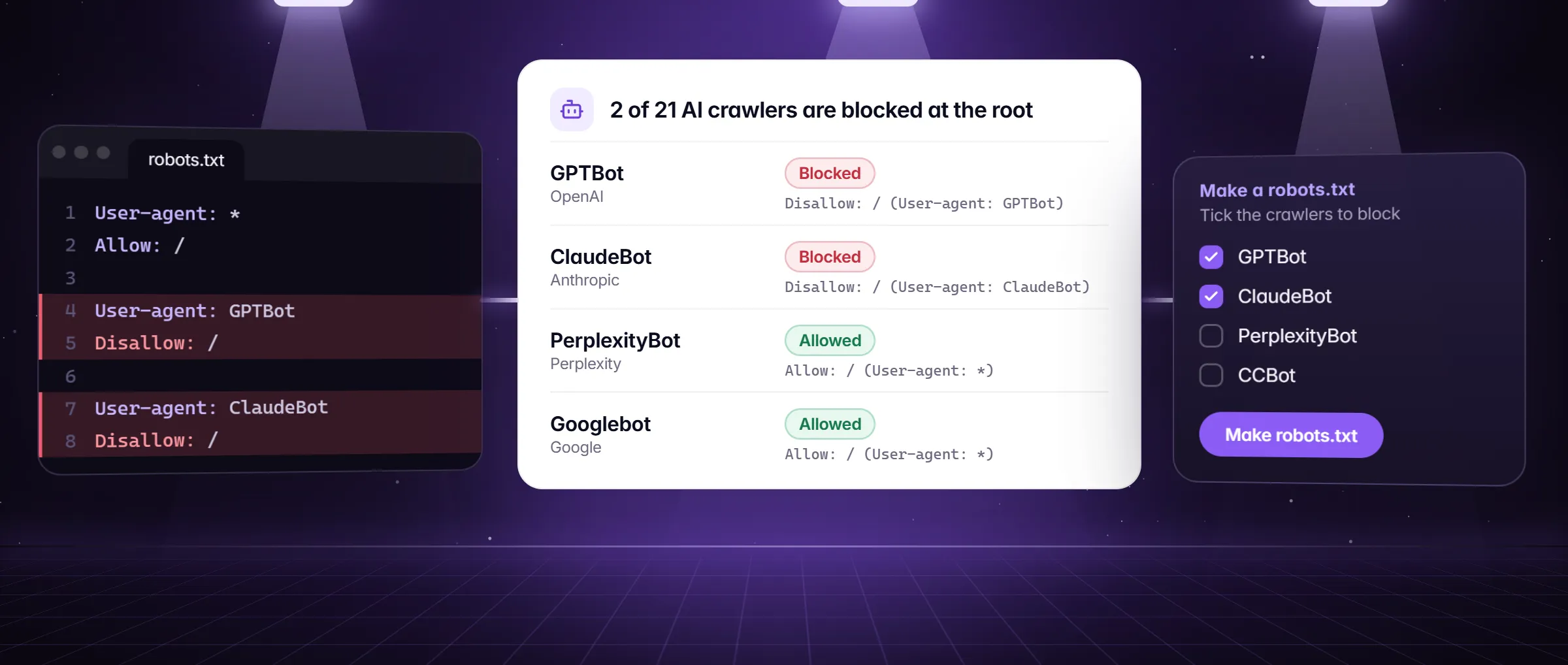 Tool
ToolAI crawler robots.txt checker and generator
Paste your robots.txt and see which AI crawlers (GPTBot, ClaudeBot, PerplexityBot) may read your site, then make the lines you want. Free, in the page.
Open the tool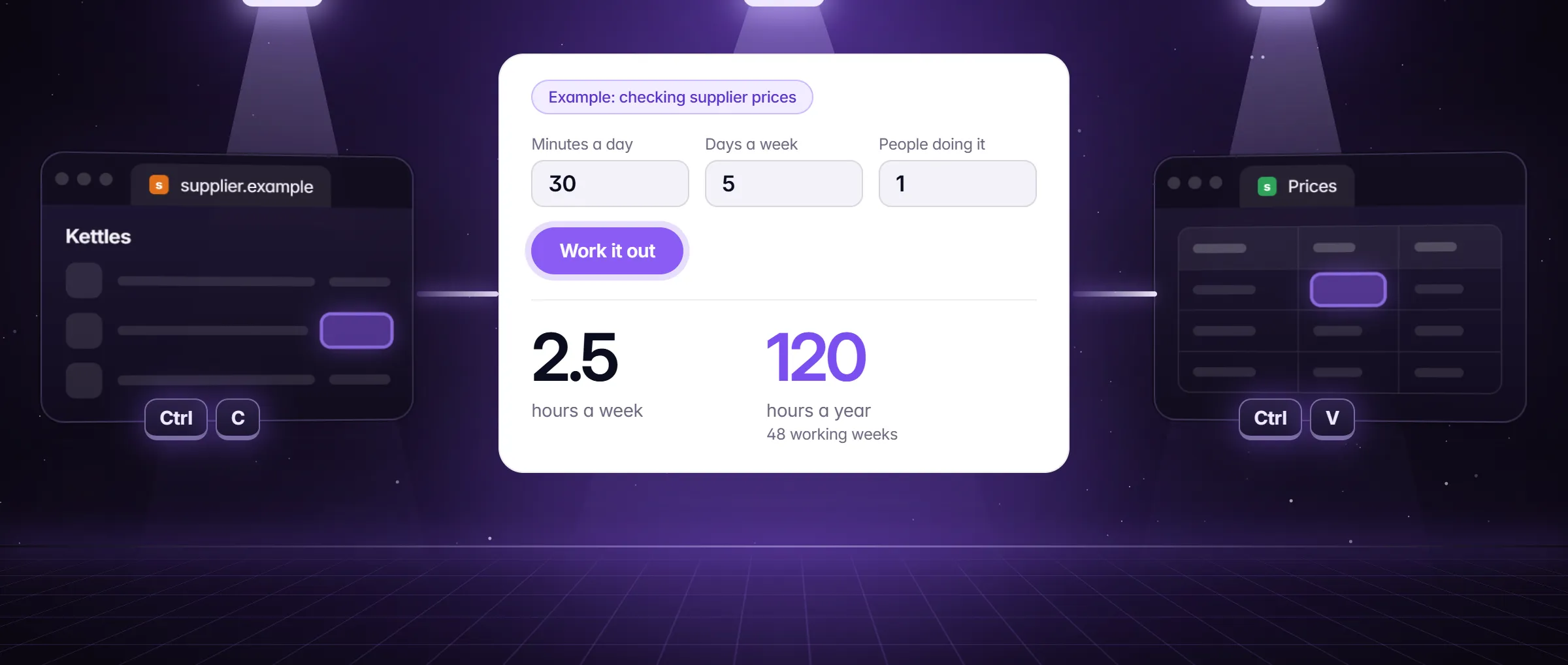 Tool
ToolCopy-paste cost calculator
How many hours a year does copying rows, checking pages and typing data by hand cost you, and what is that in money? Work it out in a minute, free.
Open the tool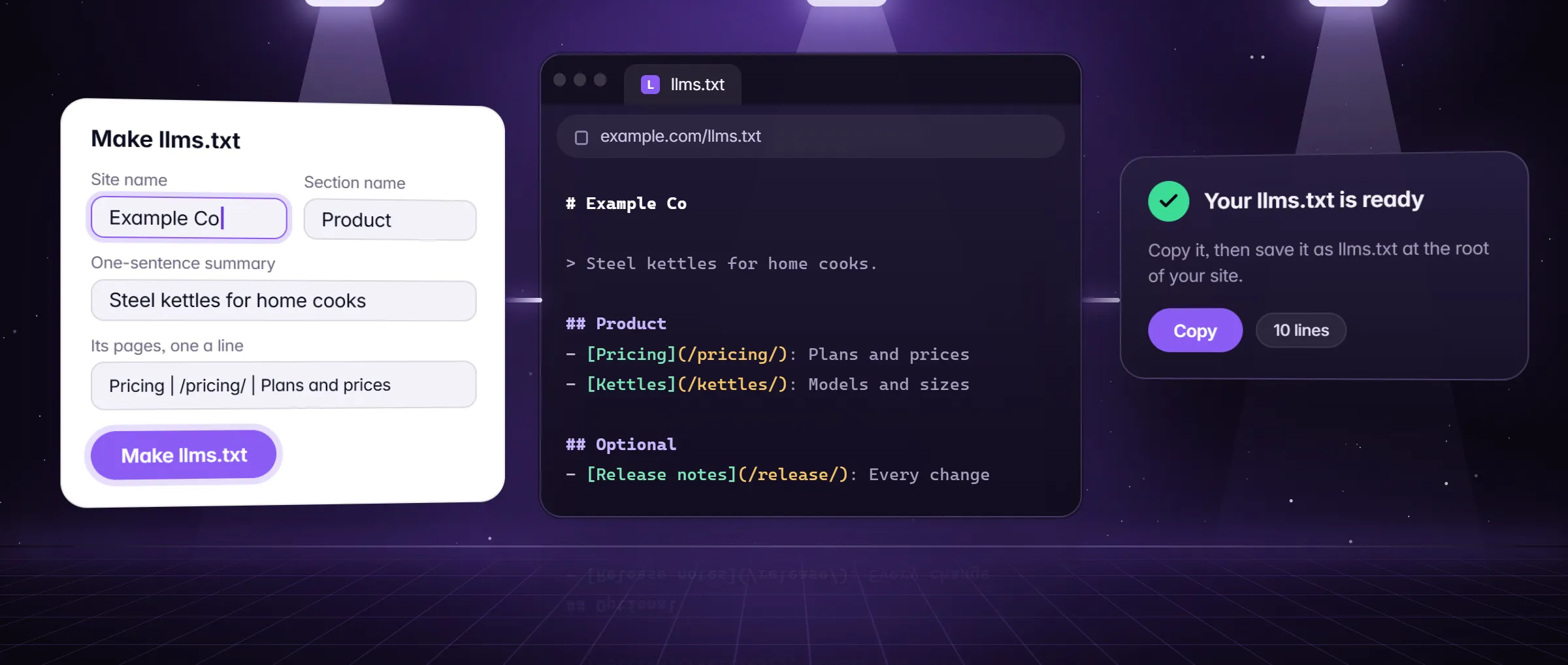 Tool
Toolllms.txt generator
Make an llms.txt for your site in a minute: name, a one-line summary, sections with their pages and an Optional part, in the shape AI assistants read.
Open the tool
Where this topic leads
The product pages that do the work this topic describes.
Questions
Do I need to write code to scrape a web page?
No. In Minda Super Intelligence, Extract data finds the main list on a page and its columns, or you press Pick and point at the first value; the click becomes a pattern that matches every item. A scrape task adds the schedule, the next pages and where the rows go.
Is web scraping allowed?
It depends on the site’s terms of use, its robots.txt and the data: personal data has its own laws. Read the terms first, scrape what the site shows the public or what you are signed in to see, and stop at a bot check. This is not legal advice.
Does scraping cost Minda AI credits?
A plain scrape costs none on any plan: it reads values and sends rows with no AI model, and scheduled tasks are unlimited. Credits enter only when you add an SI step, such as a summary of the new rows, or ask the SI agent to read fields a pattern cannot.
Hear first when Minda is ready
We only use your email to tell you when Minda is ready. Unsubscribe anytime.
Free to start
Minda Super Intelligence is coming soon for Windows.
Last updated