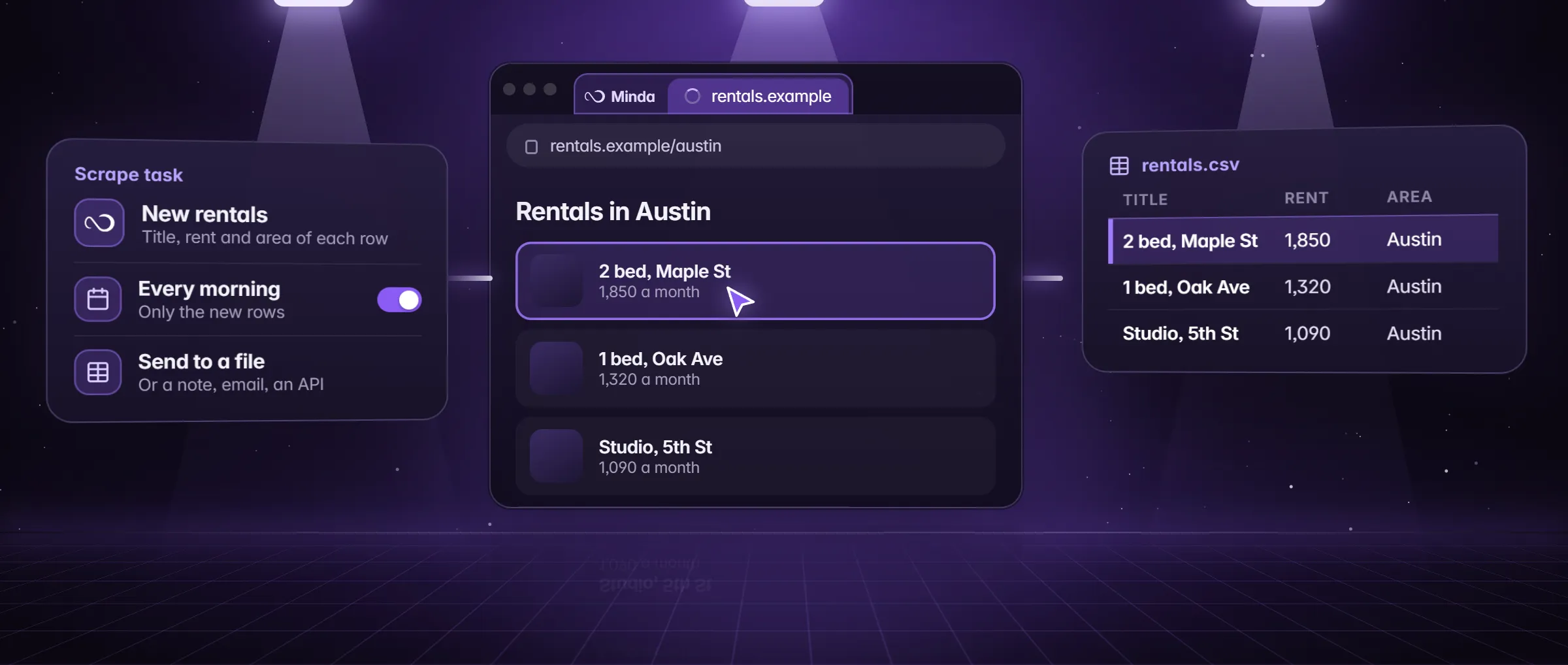
What is an AI web scraper?
An AI web scraper is a tool where an AI model reads a web page and fills in the fields you name, such as "rent, beds, pet policy", instead of you writing a selector for each one. You describe the data in words, and the model finds it on the page, even on a page with no clean list or table.
The name covers two designs. In one, a model reads the page text and returns rows. In the other, an agent also clicks and scrolls, opens each listing and reads its own page. Minda Super Intelligence has the second kind, the SI agent, and keeps a plain scraper with no AI beside it, because each fits a different job.
How is an AI scraper different from a classic one?
A classic scraper is a pattern. You point at the first value, and the program matches the same spot in every item. It is fast and repeatable and needs no model, and it can stop matching when the page changes its layout. An AI scraper is a reader. It takes in the words on the page, so it can go where a pattern cannot. The price is that every run is a model request and a value can be misread, and Minda gives no accuracy percentage, so you check the first rows against the page.
| Question | Extract data and a scrape task | The SI agent |
|---|---|---|
| How do you say what you want? | Keep the columns Minda found, or Pick the first value with the pointer | Name the fields in a sentence |
| Does it use an AI model? | No | Yes: each turn is an AI request |
| What if the page changes its layout? | A pattern can stop matching: pick again | The agent reads the page fresh each run |
| Can it open each listing for a detail field? | No: it reads the page you give it and its next pages | Yes: it opens pages, clicks and scrolls |
| Can it run on a schedule? | Yes, from every 15 minutes to a cron line, while Minda is open | Yes, as a saved agent on a schedule, while Minda is open |
| What does it cost? | No credits on any plan | Minda AI credits, or none with your own key or Ollama |
An example: 200 Austin apartment listings
Maya is moving to Austin, Texas. A rental site (listings.example) shows 200 apartments over ten pages. Each card shows a name, a rent and the beds, but the pet policy is only on each listing’s own page. She wants all four in one sheet.
She starts with Extract data on the first page of results. It finds the list and gives her Name, Rent and Beds for every card with no AI, and she saves it as Excel. The pet policy needs a click into each listing, which is a job for the agent. She opens the SI chat and writes: "For every listing on this site, open it and fill Name, Rent, Beds and Pet policy in an Excel file. Stop after 200 listings. Write not found where a page does not say."
The SI agent works in tabs she does not see and shows a live checklist. When it reports, she checks the first ten rows against the site. One pet policy says not found because the listing is silent, which is the right answer.
What can you use an AI web scraper for?
- Detail pages. A field that lives only on each item’s own page, such as a pet policy, a spec or a contact line.
- Messy pages. A text-heavy directory or a page of cards in different shapes, with no clean list to point at.
- Several sites in one brief. The same fields from three directories you use, in one sheet.
- Judging while collecting. "Only listings that allow dogs", or "mark each as a fit or not and say why".
- A weekly refresh. A saved agent runs the same brief on a schedule while Minda is open.
How to use an AI web scraper in Minda
- Open the page in Minda, in the workspace whose sign-in it needs. Try Extract data first: if the list holds every field you need, you are done with no AI and no credits.
- For the fields the list lacks, open the SI chat with Alt+Q.
- Write the brief: the page or site, the fields by name, a stop rule (how many rows, or which page to stop at), what to write where a value is missing, and where the rows go (a note, or an Excel or CSV file).
- Watch the live checklist. Open the agent’s tab to see it work, press Stop to end the run, and take over for a login or a CAPTCHA, then hand back.
- Check the first ten rows against the page before you use the rest.
- To repeat it, save it as a saved agent and give it a schedule, or move the plain part to a scrape task.
What does an AI web scraper cost?
A plain scrape costs nothing: Extract data and scrape tasks use no AI model and no Minda AI credits on any plan, and scheduled tasks are unlimited. The SI agent is the part that costs. Its turns are AI requests. On Minda’s hosted models they use Minda AI credits, 100 a month on Free and 2,000 on Pro ($25 a month), from 1 credit for a standard message and more for a premium model. With your own OpenAI, Claude, Gemini or DeepSeek key, or Ollama on your computer, they use no credits. How Minda AI credits work has the arithmetic.
The cheapest way is the mixed one: let the plain scraper read the list, and use the agent only for the fields it cannot reach.
Terms, robots.txt and bot checks
An AI does not change what you are allowed to do. A site’s terms of use, its robots.txt and the laws on personal data apply to an agent exactly as they apply to a script, and a CAPTCHA or a bot check is where the SI agent stops and hands the page to you. What is web scraping walks through each of them. This is not legal advice.
Limits
- An SI run is a set of AI requests: Minda AI credits on Minda’s hosted models (100 a month on Free, 2,000 on Pro), or none with your own key or Ollama.
- The site’s terms rule. A CAPTCHA, an age check or a paywall is left to you: the agent hands the page over and takes it back when you are done.
- Minda gives no accuracy percentage for an AI read, so check the first rows against the page.
- A saved agent or scrape task on a schedule runs only while Minda is open on that computer, and rules and schedules never click or type on chat, social or mail sites.
Questions
When should I use an AI web scraper instead of a pattern?
Use the pattern when the page has a clean list: it is quick and costs no credits. Use the SI agent when a field lives on each item’s own page, the page has no clean list, or one brief spans several sites.
Does an AI web scraper need code or selectors?
No. You name the fields in a sentence and the SI agent finds them on the page. The plain route needs no code either: Extract data finds the list, or you press Pick and point at a value.
How much does an AI web scraper cost in Minda?
A plain scrape costs no credits. The SI agent’s turns use Minda AI credits on hosted models, from 1 credit for a standard message, 100 a month on Free and 2,000 on Pro, or none with your own key or Ollama.
Can an AI scraper read a page I am signed in to?
Yes. The SI agent works in the workspace you name, with that workspace’s sign-ins, in tabs you do not see. A login or a CAPTCHA is handed to you and back, and the site’s terms still apply.
Sources
- minda-facts.json: ai-agent
docs/marketing/minda-facts.json#ai-agent - minda-facts.json: page-tools
docs/marketing/minda-facts.json#page-tools - minda-facts.json: scheduled-tasks
docs/marketing/minda-facts.json#scheduled-tasks - minda-facts.json: minda-ai
docs/marketing/minda-facts.json#minda-ai - Extract data, no AI: Key Design Decision 30
docs/project-knowledge.md - Scrape jobs, deliveries and the Schedules page: Key Design Decision 78
docs/project-knowledge.md