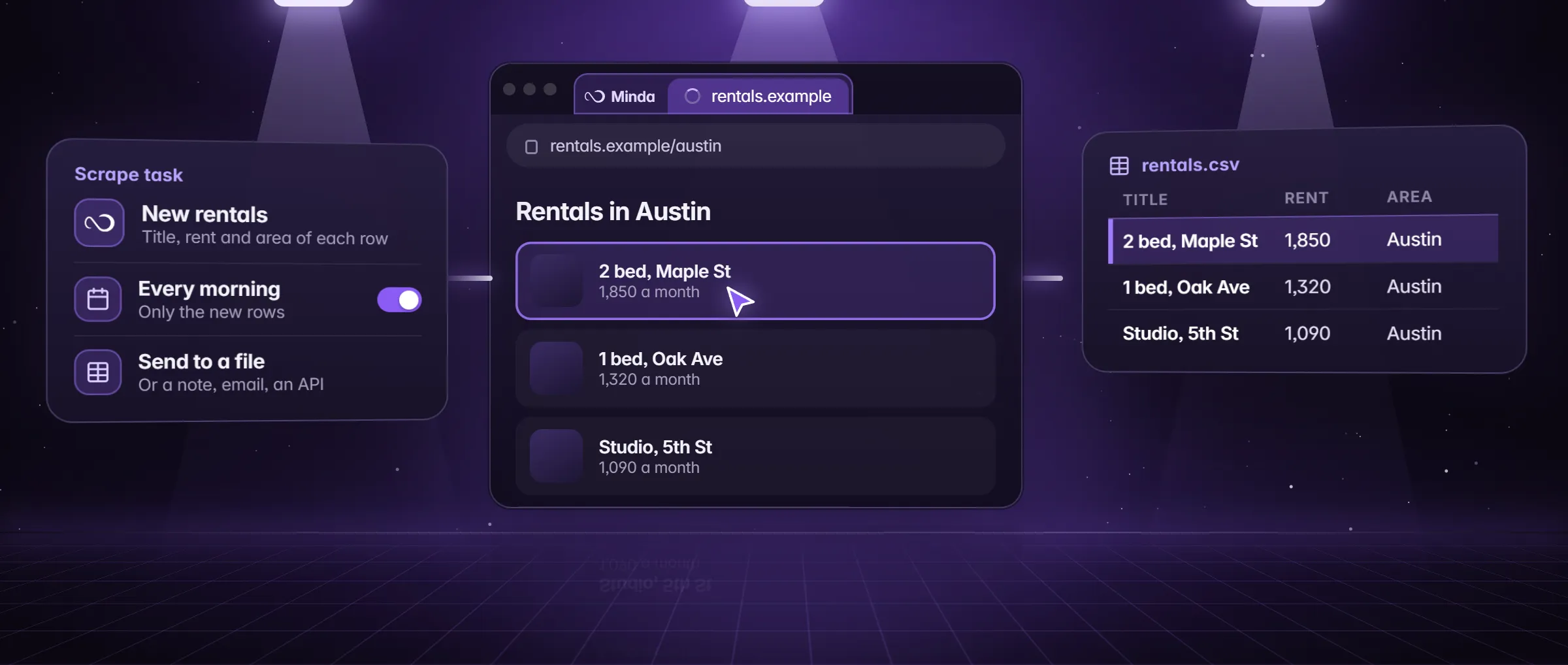
What is web scraping?
Web scraping is copying data from web pages into rows you can use, such as names, prices, links and dates, by a program instead of by hand. The rows land in a spreadsheet, a note or another program, where you can sort them, count them and use them again.
You already know the manual version: select a table, copy it, paste it into Excel, go to the next page and do it again. Scraping is that loop run by software. It is not the same as an API, which is a door a site builds for programs. When a site offers an API for the data you want, use it. When the data is only on the pages, scraping reads the page a person would see.
How does web scraping work?
Every scraper does the same five jobs, whether it is a script a developer wrote or a button in an app. In Minda Super Intelligence, the personal AI agent app for your computer, you do not write any of it: Extract data finds the main list on a page and its columns, or you press Pick and point at the first title, price or link, and the click becomes a pattern that matches the same value in every item.
- It loads the page. The program opens the address and reads what the page shows. In Minda that is a tab you already have open, or a hidden page of the workspace the task was made in, so a page behind your sign-in is read as you see it.
- It finds the pattern. A list of results, a table or a grid of cards repeats one shape for every item. The program finds that shape once and reads every item that matches it.
- It names the columns. Each repeating part becomes a column: the title, the price, the link, the date.
- It goes to the next pages. It follows the Next link and reads each page the same way, so 60 items over three pages become one list.
- It writes the rows. Each item becomes a row in a file, a note or a message, and a later run can send only the rows that are new.
An example: 60 farmers’ market vendors in Vermont
Dana runs a farmers’ market in Burlington, Vermont. A vendor directory (a page on vendors.example) lists 60 vendors over three pages, each with a name, a town, a website and what they sell. She wants the list in a spreadsheet, and she wants to hear about every new vendor.
She opens the directory in Minda and chooses Extract data from the three-dot menu. The dialog shows the list it found, 60 rows, and its columns. She keeps Name, Town and Website, renames Town to City and presses Schedule…. In the scrape form she sets Pages to up to 3, ticks Only new rows, chooses an Excel file under Send results to and sets the repeat to Monday at 8:00.
The first run writes 60 rows. The next Monday it writes a new Excel file with one row, the vendor who joined on Thursday. Dana copied and pasted nothing after the first press.
What can you use web scraping for?
- Lists into a sheet. A table or a directory on a page becomes an Excel or CSV file.
- New listings. Jobs, homes, events or tenders each morning, with only the rows you have not seen.
- Prices. A supplier portal or a shop’s catalog every hour or every day, sent to your own API.
- Leads you may use. A directory of businesses turned into a list, within that directory’s terms, for you to review before any outreach.
- Research. Rows from several pages side by side for a report or a comparison.
- Fields a pattern cannot read. An SI agent reads a page that has no clean list and fills the fields you name.
How to scrape a page in Minda
- Open the page in Minda, in the workspace whose sign-in it needs, and go to the first page of the list.
- Open the three-dot menu and choose Extract data…, or right-click the page and choose Extract data from this page. Minda shows the biggest table or list it found, with its columns.
- Keep the columns you want and rename them. Press Try another list if it picked the wrong one.
- Press Copy, CSV or Excel to take the rows now, or press Schedule… to make a scrape task of the same list.
- In the scrape form press Test to see the first rows, set Pages, tick Only new rows and choose Send results to: a note, an Excel or CSV file, your own API, email or WhatsApp.
- Choose the repeat, press Schedule, then open Schedules and press Run now to see the first run.
What is allowed: terms, robots.txt, personal data and bot checks
Whether you may scrape a page depends on the site, the data and where you live, and this is not legal advice. Four things decide most cases.
- The site’s terms of use. Many sites say what automated reading they allow. Read them before you schedule anything, and follow them.
- robots.txt. This file tells crawlers which paths a site asks them not to read. It is a request, not a lock, but it is the site’s stated wish. Minda does not read it for you, so reading it is your step; the free AI crawler robots.txt checker shows what a pasted file says about the well-known AI crawlers and a path you name.
- Personal data. Names, emails and phone numbers of people have their own laws. Collect only what you have a reason to hold, and never use a scraped list to message people against a site’s rules.
- Speed and bot checks. A scrape task reads a page for at most a minute and waits a second between next pages. A CAPTCHA or a bot check means the site wants a person: Minda does not go around it, and you should not either.
Scraping, watching or an SI agent: which one for which job?
Scheduling details are in how to schedule a web scrape without code, watching one part of a page is in how to monitor a web page for changes, and what an AI reader adds is in what is an AI web scraper.
| You want | Use | Where it runs | Credits |
|---|---|---|---|
| Every row of a list or table, again and again | Extract data and a scrape task | Your computer, from every 15 minutes to a cron line, while Minda is open | None: no AI model |
| To be told when one part of a page changes | A rule (a page watch) | Your computer, while Minda is open | None when it only watches and notifies |
| Fields a pattern cannot read, or pages that need clicks | The SI agent | Your computer, in tabs you do not see | Minda AI credits, or none with your own key or Ollama |
Limits
- This is not legal advice: the site’s terms and the law where you live decide what you may scrape.
- Minda does not solve CAPTCHAs, go around bot checks or read a site’s robots.txt for you.
- A scrape run stays on the page’s own site, follows at most 20 next pages, stops after a minute a page and keeps at most 5,000 rows and 50 columns.
- A scrape task runs only while Minda is open on that computer.
Questions
Is web scraping legal?
It depends on the site’s terms, the kind of data and where you live. Personal data has its own laws. Read the terms first, stop at a bot check, and ask a lawyer when the stakes are high. This is not legal advice.
Do I need to write code to scrape a web page?
No. In Minda Super Intelligence, Extract data finds the main list on a page and its columns, or you press Pick and point at the first value; the click becomes a pattern that matches every item. A scrape task adds the schedule, the next pages and where the rows go.
Does scraping cost Minda AI credits?
A plain scrape costs none on any plan: it reads values and sends rows with no AI model, and scheduled tasks are unlimited. Credits enter only when you add an SI step, such as a summary of the new rows, or ask the SI agent to read fields a pattern cannot.
What is the difference between scraping and an API?
An API is a way a site offers its data to programs in a fixed format. Scraping reads the page a person sees. Use the API when the site has one for what you want, and scrape when the data is only on the page.
Can I scrape a page that needs a login?
Yes, on your computer: the scrape runs in a hidden page of the workspace you made it in, with that workspace’s own sign-ins. Pages you are signed in to are never read in the cloud, and the site’s terms still apply.
Sources
- minda-facts.json: scheduled-tasks
docs/marketing/minda-facts.json#scheduled-tasks - minda-facts.json: page-tools
docs/marketing/minda-facts.json#page-tools - minda-facts.json: automations
docs/marketing/minda-facts.json#automations - Extract data, no AI: Key Design Decision 30
docs/project-knowledge.md - Scrape jobs, deliveries and the Schedules page: Key Design Decision 78
docs/project-knowledge.md - What Minda keeps and sends: section 2
docs/privacy.md