What is a prompt?
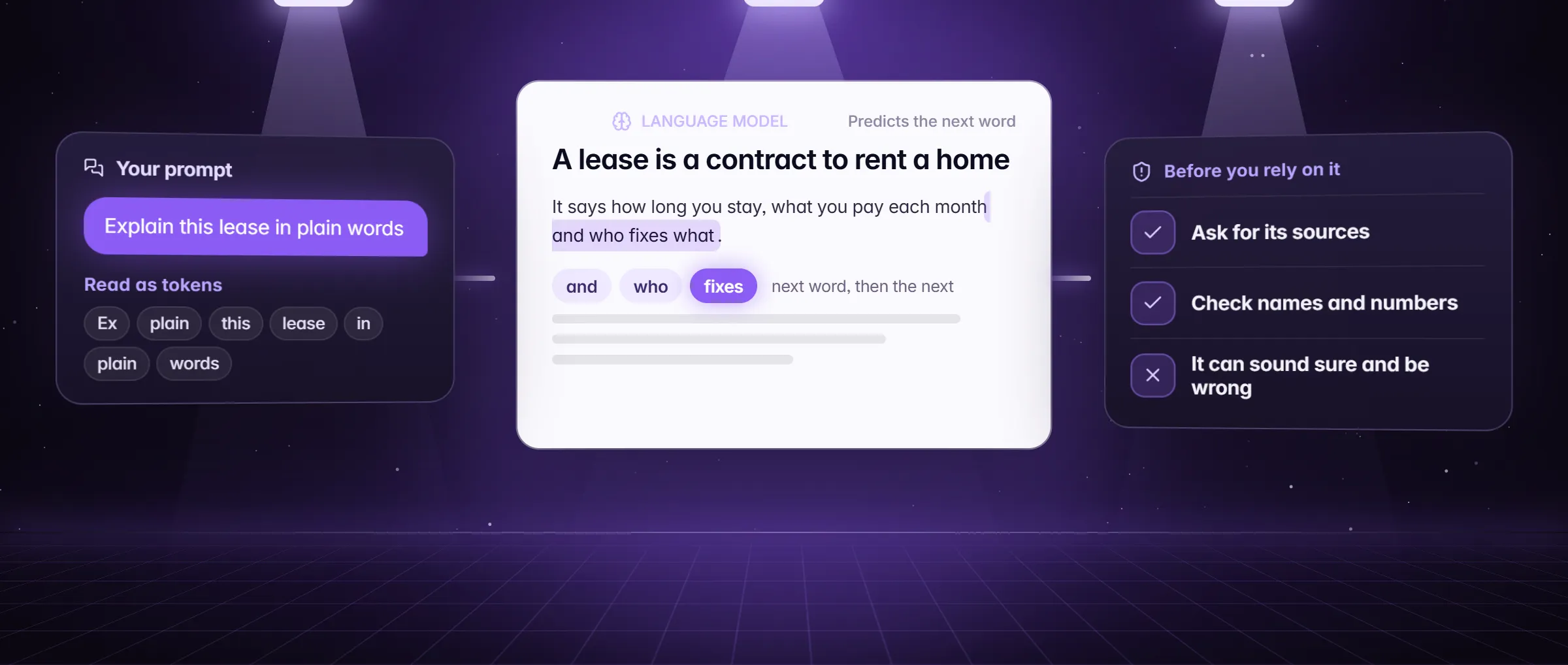
A prompt is what you give an AI model to get an answer or a piece of work: your question, your instructions and anything you attach, such as a page, a note or a file. It is the whole message, not just the question. People also say instruction for the part of a prompt that says what to do; the prompt is the instruction plus everything the model needs to do it.
A model is a program that predicts the next words from what it was given. It cannot see your screen, your files or last week’s conversation unless the prompt carries them, so a short, vague prompt gets a vague answer. Most of prompt writing is deciding what to put in. This is general knowledge about AI models, not a Minda feature; what an LLM is has the longer version.
How does a prompt work: context, task and format?
A prompt that works has three parts. Write them in one short paragraph, in any order, in plain sentences.
- Context: what the model cannot know unless you say it. Who you are, the situation, the people, the facts, the page or note to read. "I am the parent of a third grader; the attached notice moves the bus stop."
- Task: the one thing to do, named with a verb: draft, summarize, compare, check, list, rewrite, find. One task per prompt beats three.
- Format: the shape of the answer. Length, tone, a list or a table, the language, what to leave out. "Under 120 words, polite, one clear request."
An example: a Sacramento parent’s email to the school
Dana Reyes in Sacramento gets a notice that her son’s bus stop moves on Monday. She wants a short email to the school office. The same job with two prompts, in the SI chat of Minda:
- She types the weak prompt: "write an email about the bus". The reply is polite and generic: a message about "the bus situation" with no stop, no date and no request. The model had nothing else to go on.
- She opens the notice in a tab, types @ in the chat box and picks that tab. Then she writes the three parts. Context: "I am the parent of a third grader at Maple Elementary; the attached notice moves the Route 12 stop to Oak Street from Monday." Task: "Draft an email to the front office." Format: "Under 120 words, polite, one clear request, no apology."
- She opens the model menu, chooses Compare models… and picks two models, so each answers the same prompt side by side.
- The second draft names the route and the Monday date from the notice and asks for a later pickup time. She changes one word and sends it herself. Both drafts came from the notice’s own text, because the prompt carried it.
What can you use a good prompt for?
- Drafts: emails, replies, cover letters and posts, in your tone and at the length you give.
- Summaries: a page, an article, a PDF or a video transcript, cut to the points you need.
- Comparisons: two leases, two products or two plans, as a table with the differences first.
- Checks: proofread a paragraph, explain a clause in plain words, list what is missing from a plan.
- Study and research: ask for an outline, then run Research so each claim cites a page the run read.
- Jobs for the SI agent: open a site, fill a form, collect rows from a list, and report back.
How do I write a prompt in Minda?
- Open the chat (Alt+Q) and say the task as one sentence that starts with a verb: "Summarize", "Draft", "Compare".
- Add the context the model cannot see. Type @ and pick a tab, a bookmark, a history page, a note, a file or a video transcript. Or right-click a page and choose Ask AI about this page, which opens the chat with the page attached.
- Name the format: the length, the tone, a list or a table, the language.
- Send it. If the answer is off, say what to change in the same chat ("shorter, and lead with the date"): the chat so far goes with each message.
- For an answer that matters, open the model menu, choose Compare models… and ask 2 or 3 models at once. Keep the answer you like.
- Start a new chat for a new topic, so the old one does not become context you did not mean to send.
Prompts that act: how do you give the SI agent a job?
A prompt can also be a job. In Minda Super Intelligence, the personal AI agent app for your computer, the same chat box runs the SI agent, which opens pages, clicks, types and fills forms in tabs you do not see. A job prompt has the same three parts plus two habits that matter when something will happen on a real site.
- Name the workspace. Say "in the Shop B workspace" or "in my Personal account". The name must stand next to the word workspace or account, and the agent then opens pages with that workspace’s sign-ins. Only your own words pick a workspace, never text on a web page.
- Say when to stop. Add "for my review", "draft" or "do not submit" when the job ends in a send, a post or a payment. A press that finishes the work waits for your OK in tasks and schedules, and in a chat while Auto is off or Careful is on. A press that pays waits anyway: Ask before paying is on by default.
- Give the stop rule and the format. "The first 20 results", "a table of name, price and link", "tell me what you could not do".
How do I keep a prompt I like?
Save it as a skill. Under your own message in the chat is a Save as a skill button: it opens a draft in Settings → Skills, where you name the skill and give it a short trigger. A skill is a saved prompt: type / in the chat box, pick it, and what you type after it fills the skill’s {{input}}. Skills are on every plan.
Minda also has a gallery of 36 ready-made skills in Research, Writing, Business, Legal, Finance & accounting, Marketing & SEO, Developer, Productivity and Education, such as Cover letter and Fact-check. They are worth reading as examples of well-built prompts: each states the task, the length and what to leave out. Add one from the gallery in Settings → Skill store.
Limits
- A prompt cannot give a model facts it has not read. Attach the page or file, and check names, numbers and dates, because a model can still state a guess with confidence.
- No wording guarantees a right answer: a clear prompt narrows the guess, it does not remove it.
- Only your own words pick a workspace, never text on a web page, and a finishing press waits for your OK only as the settings above say.
- Each message is an AI request: Minda AI credits on Minda’s hosted models, none with your own key or Ollama.
Questions
What is the difference between a prompt and an instruction?
An instruction is the part that says what to do. A prompt is the whole message you send: the instruction, the context the model needs and the format you want. "Summarize this" is an instruction; the page you attach and "in five bullets" make it a prompt.
How long should a prompt be?
As long as the job needs. One sentence is enough for a simple question; real work wants a short paragraph with the context and the format. Length does not help, but missing context hurts. Attach the page or note instead of retyping it.
Do I need special words or a template?
No. Plain sentences with context, task and format work, and there are no magic words. When you reuse a prompt, save it as a skill with a short trigger; the gallery has 36 ready-made ones to read as examples.
Does a prompt use Minda AI credits?
Each message is an AI request. On Minda’s hosted models a standard message costs from 1 credit and a larger model more; Free has 100 credits a month and Pro 2,000. With your own key or Ollama it uses no credits.
Can a prompt make the AI act on a website?
In Minda, yes: describe the job in the chat and the SI agent does the steps in its own tabs. Name the workspace, and add "for my review" so a send or a post waits for your OK. A payment waits by default.
Sources
- minda-facts.json: ai-chat-own-keys
docs/marketing/minda-facts.json#ai-chat-own-keys - minda-facts.json: skills
docs/marketing/minda-facts.json#skills - minda-facts.json: ai-agent
docs/marketing/minda-facts.json#ai-agent - minda-facts.json: notes-and-knowledge
docs/marketing/minda-facts.json#notes-and-knowledge - The composer’s @ and / menus and skills: Key Design Decisions 38 and 42
docs/project-knowledge.md - The skill gallery: Cover letter, Fact-check and 34 more
src/shared/skill-gallery.ts