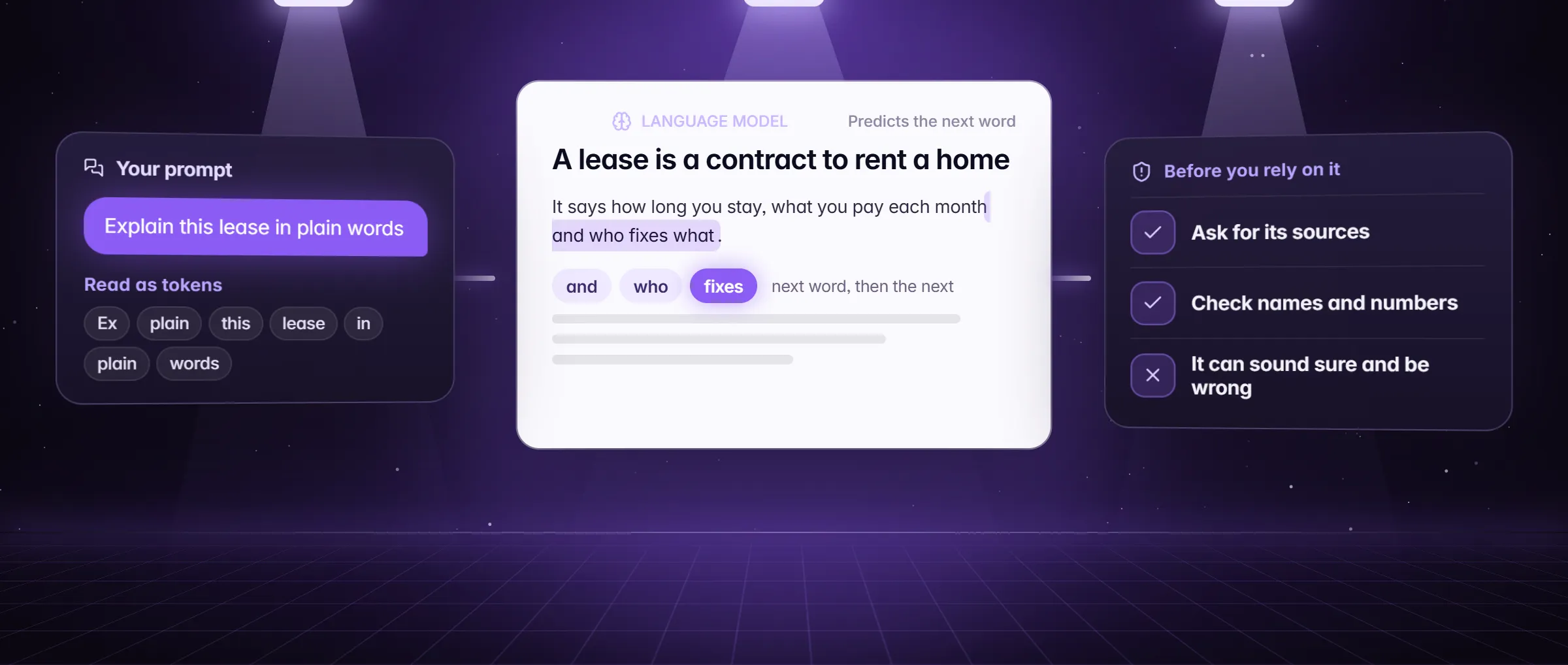
What is an AI hallucination?
An AI hallucination is a statement from an AI model that sounds sure and is false: a court case that was never decided, a quote nobody said, a price, a date or a link that does not exist. You cannot see it as a glitch. It reads like the rest of the answer, in the same calm tone, and that is exactly why it is dangerous.
It shows up most in names, numbers, dates, citations and links, the details a model fills in when it has nothing to read. People also call it making things up, fabrication or a confident guess. How models behave is general knowledge here, not a Minda feature; what follows is what Minda gives you to catch one.
Why does AI make things up?
A language model writes by predicting the next words that fit what came before. It does not look a fact up in a database and hand it back; it produces text that looks like a right answer. When the fact is in the prompt, the likely words are the right ones. When it is not, the likely words are a guess dressed as a fact.
- No source in front of it. A question about a page, a file or a note the model was never given.
- A gap in what it learned. A rare topic, a recent event, a small local rule.
- A question that assumes the fact. "Cite the case that says…" invites the model to supply one that sounds right.
- Asking for more than exists. "Give me ten sources" when only three exist gets the list padded.
An example: a made-up case citation in a Chicago small-claims letter
Marcus Bell in Chicago wants his $1,800 security deposit back and drafts a demand letter in the SI chat of Minda. This is how a hallucination gets in, and how he catches it.
- He asks: "Write a demand letter for my deposit and cite the case that says a landlord must return a deposit within a set number of days." The reply is a clean letter with a case name, a court and a volume number.
- The letter reads perfectly and nothing marks the case as invented. Marcus does what the steps below say: he looks the case up. A search of his county court’s public records and a free legal database finds nothing. The case does not exist.
- He asks again, this time with Research turned on in the Modes menu: "What does Illinois law say about returning a security deposit, and what Chicago ordinance applies?" The report cites the statute and the ordinance pages it read, with numbered sources he opens.
- He replaces the invented case with the statute and the ordinance he opened, deletes the sentence he could not source, and sends the letter. What he keeps from it: the details a model supplies on its own are the ones to check.
Where do hallucinations matter most?
- Law. Case names, statute numbers and deadlines. One wrong detail can sink a letter or a filing.
- Health. Doses, interactions and symptoms. A confident wrong detail is worse than none, and an AI answer is never medical advice.
- Money. Rates, fees, tax rules, prices and totals.
- Citations and quotes. A source that does not exist, or one that exists and says something else.
- Facts about people and companies. Titles, dates and what someone said.
- Replies you send for others. A chatbot that gives a customer a price it was never told. In Minda a chatbot reply with a link, a price, a date or a time that its instructions and knowledge do not hold waits for you.
How do I catch a hallucination in Minda?
- Give it the text. Attach the page, a note or a file with @ (tabs, bookmarks, history, notes, files, video transcripts), or right-click a page and choose Ask AI about this page. A model that reads the page answers from it; one that does not, guesses.
- Ask where it came from. For a fact that matters, open the chat (Alt+Q), turn on Research in the Modes menu and ask. A report cites only the pages it read, so open two or three of its numbered sources.
- Add the Fact-check skill from Settings → Skill store, then type /fact-check and the claim. It researches and answers with a verdict from True to Unproven, the evidence for and against, and a citation for each.
- Compare 2 or 3 models. Open the model menu and choose Compare models… so each question goes to every model you picked. Where the answers disagree is where to look first; where they agree is not proof.
- For agent jobs, turn on a second look. In Settings → AI → Agent models pick a model under Double-check finished work with. Before a run that took steps ends, that model reads your request, the record of what the agent did and the answer, and sends the run back once if it finds a problem.
- Check names, numbers, dates and links yourself before they leave your hands. Open the link. Read the line it points to.
What does Minda not promise?
Minda does not promise an answer free of mistakes, and it publishes no hallucination rate: none is measured and dated, so none is claimed. Research cites only what it read, but a page it read can itself be wrong, and a second model double-checking is another reader, not a proof. Treat an answer as a draft from a fast, well-read assistant who sometimes bluffs, and do not use it as legal, medical or financial advice.
How is a hallucination different from prompt injection?
They are two different failures. A hallucination is the model’s own mistake: it makes up a detail because it has nothing to read. Prompt injection is someone else’s attack: text on a page or in a message that tries to give the model orders. Real text and a check fix the first; limits on what an agent may do hold off the second.
In Minda only your own words pick a workspace, and a press that pays waits for your OK. What is prompt injection covers the second failure in full.
Limits
- No model is free of hallucinations and Minda claims no rate: treat every answer as a draft to check, most of all names, numbers, dates and links.
- Double-check finished work is off until you pick a model, costs a request, and checks agent runs that took steps, not a plain chat reply.
- Research cites only what it read, and a page it read can itself be wrong; a page it could not open, behind a paywall or a CAPTCHA, is not in the report.
- This is not legal, medical or financial advice: check the source before you act on an answer.
Questions
Why does AI make things up?
Because a model predicts likely words rather than looking facts up. When the fact is in front of it, the likely words are right; when it is not, the likely words can be a confident guess. Give it the page or file and check what matters.
Can AI lie?
A model has no intent, so it does not lie the way a person does, but it can state something false with full confidence. The effect on you is the same, so verify names, numbers, dates and links before you use them.
Can you stop AI hallucinations completely?
No. You can lower the risk: give the model the text, use research that cites what it read, compare models and check the details yourself. Minda does all of that on every plan, and claims no hallucination rate.
Does deep research hallucinate?
It cites only what it read, so a claim with no page behind it is not in the report. That lowers the risk without removing it: a page it read can be wrong, and a summary can misread a page. Open two or three citations.
How do I check an AI answer quickly?
Check the details a model supplies on its own: names, numbers, dates and links. Open each link, search each case or quote, ask for the source, or compare two models. A claim you cannot source stays out.
Sources
- minda-facts.json: deep-research
docs/marketing/minda-facts.json#deep-research - minda-facts.json: ai-chat-own-keys
docs/marketing/minda-facts.json#ai-chat-own-keys - minda-facts.json: chatbot
docs/marketing/minda-facts.json#chatbot - minda-facts.json: ai-agent
docs/marketing/minda-facts.json#ai-agent - What Minda keeps and sends: the Double-check finished work row (section 2)
docs/privacy.md - The Fact-check skill
src/shared/skill-gallery.ts